Inventory Management Inventory management that keeps every supplier feed and sales channel in sync

Flxpoint is inventory management software for retailers, distributors and brands that sell from more than one supplier: it pulls stock from distributor feeds, dropship vendors, warehouses and 3PLs into one catalog and syncs a protected quantity to every sales channel. Product matching, aggregation rules, committed stock and quantity rules work together to help prevent overselling on marketplaces such as Amazon, eBay and Walmart and on storefronts such as Shopify and BigCommerce.

FLX-Hero-Inventory-Management

Trusted by Leading Retailers & Brands

Complete Inventory Visibility See stock, cost and margin from every supplier in one catalog

Every supplier, distributor, warehouse and 3PL you buy from becomes a source in Flxpoint. Flxpoint matches the same product across sources by UPC, GTIN, EAN, or MPN plus brand and links them to one master catalog record, so you see each source's quantity and cost side by side. Rules then decide which source's data and stock are used, and which source fulfills first.

IM 1A.2IM 1CIM 1B
IM 2BIM 2A

Distributor and Supplier Feeds Connect Any Inventory Source

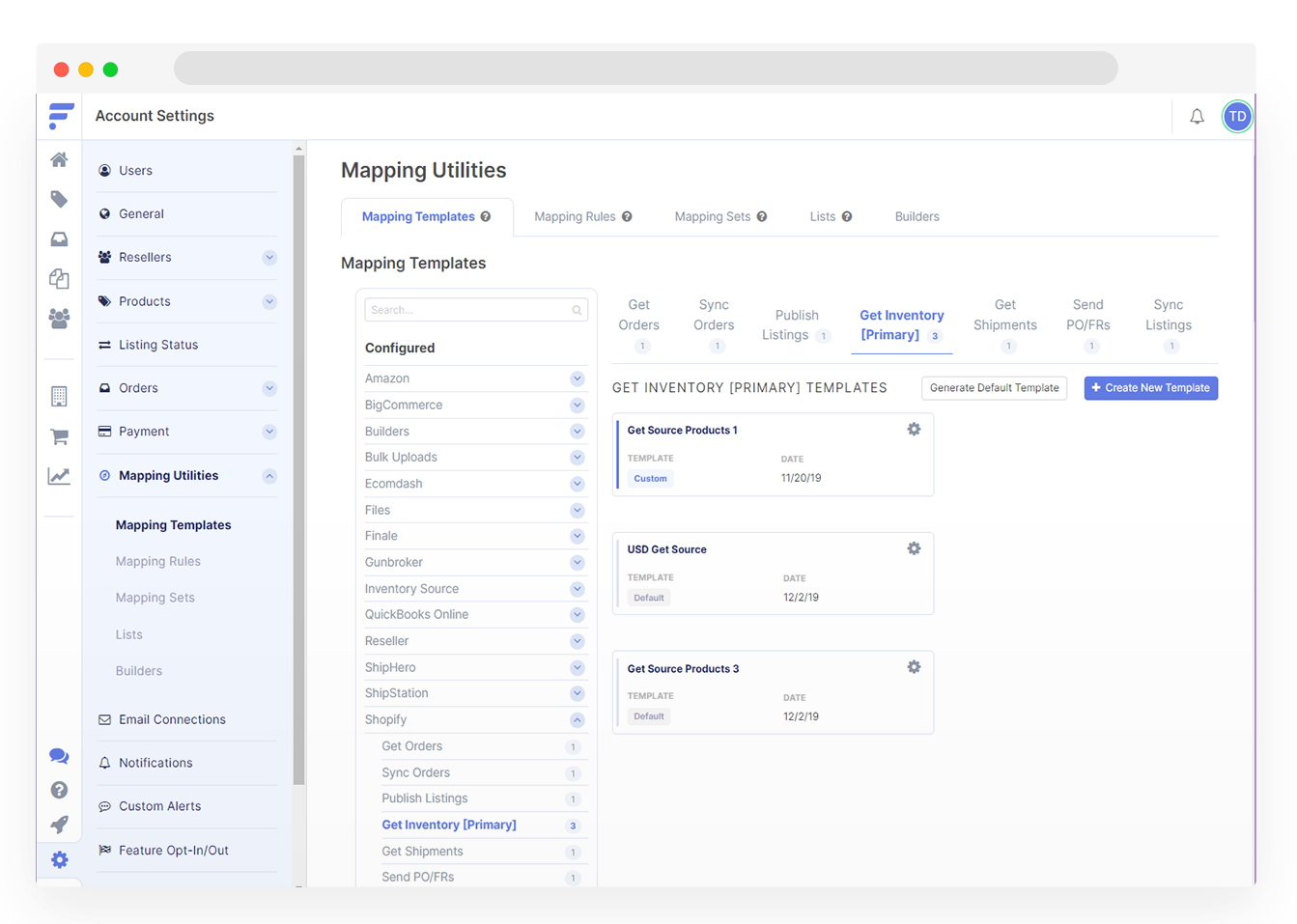
Connect each distributor, dropship supplier, warehouse or store through a pre-built integration, API, EDI, or FTP/SFTP file mapping, with no developer required. Built-in distributor integrations such as RSR, Keystone, Seawide and Sports South connect with your own supplier account credentials. Each source can run two inventory feeds: a Primary import for full product content, cost and quantity, and a lighter Secondary import for price and quantity only that runs more often, every 1 to 4 hours when the supplier supports it.

Connected to What Matters 180+ Integrations to Your Vendors & Tech

Choose from 180+ pre-built vendor connectors or let our experts create a custom API/EDI integration for you. Scale seamlessly with automated workflows.

How It Works How does Flxpoint keep supplier inventory in sync across channels?

Flxpoint works left to right: sources on the left, one master catalog in the middle, and channel listings on the right. Each layer protects the quantity your channels see.

  1. Import every feed. Each supplier, distributor, warehouse or 3PL is a source. A Primary import brings in full product content, cost and quantity. A Secondary import updates price and quantity only and runs more often, every 1 to 4 hours when the supplier supports it.
  2. Match products across suppliers. When the Build Master Catalog job runs, products from different sources that share a UPC, GTIN, EAN, or MPN plus brand are linked to one master catalog record.
  3. Combine quantities with an aggregation rule. Choose Lowest, Highest, Average or Sum for quantity, and optionally omit out-of-stock sources. By default Flxpoint sums active sources and excludes sources that are paused, disabled or failed their most recent inventory sync.
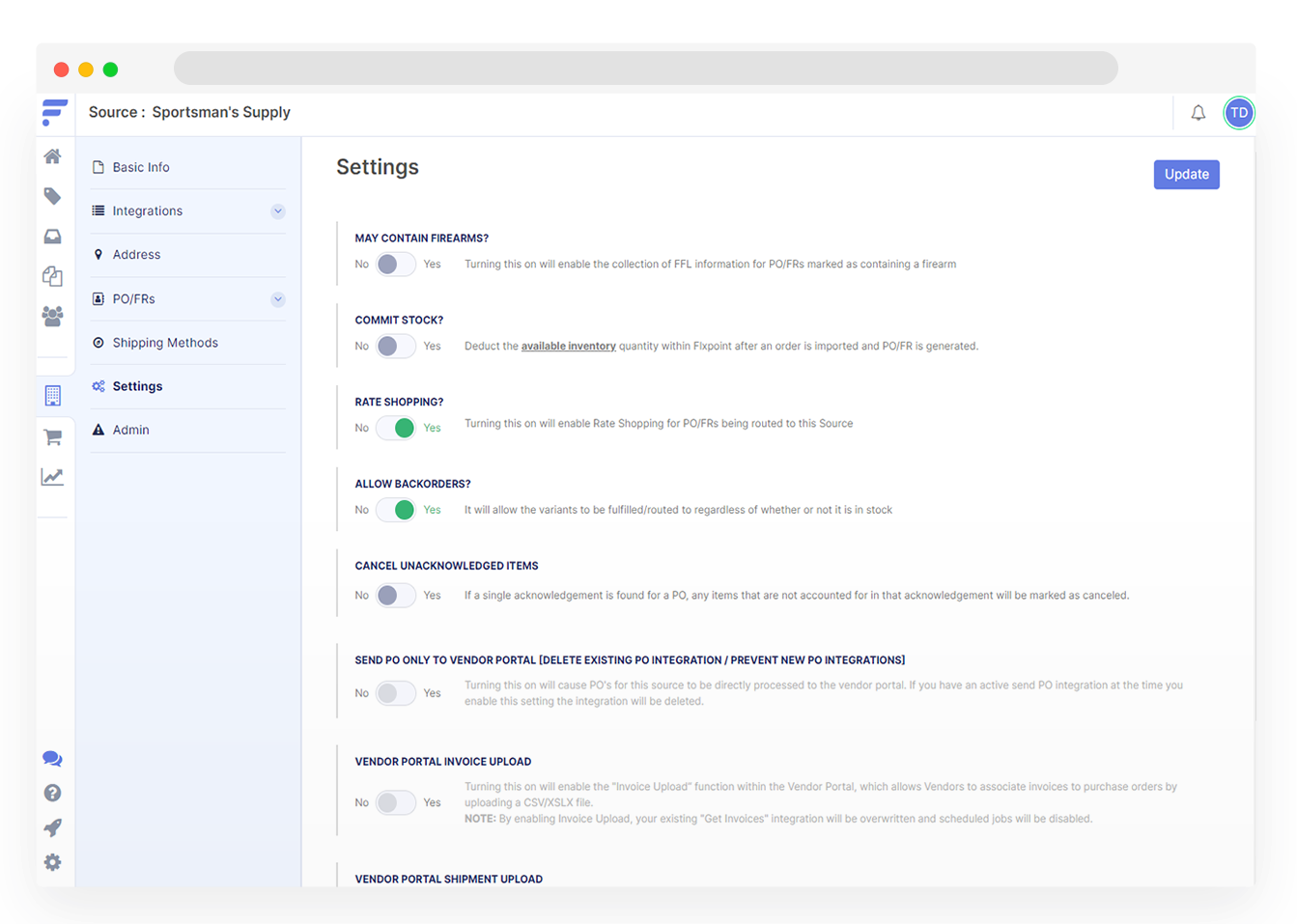
  4. Reserve committed stock. With committed stock enabled on a source, units are reserved when a fulfillment request is generated, and the channel receives Available Quantity (In Stock minus Committed) instead of the raw feed number.
  5. Shape what each channel sees. IF/THEN quantity rules, set globally or per channel, can set quantity to 0 below a threshold, delist products as stock approaches zero and relist them when stock recovers. Rules apply each time the Sync Listings or Publish Listings job runs.
  6. Block risky listings. List Price Protection checks estimated cost and stops a listing from syncing when estimated cost is missing or zero, when the list price is at or below estimated cost, or when the listing has no linked inventory.
  7. Keep kits accurate. A bundle's availability is set by its lowest available component, and when a bundle is ordered, Flxpoint splits it into its component SKUs to create fulfillment requests.

The same catalog routes each order to the right supplier, warehouse or 3PL. For the listing side, see multi-channel listing and PIM; for supplier connections, see supplier connections; for routing, see order routing.

Automated Inventory, Greater Profits Full Control Over Distributed Inventory

See stock from every source in one place and sync it to every channel.

Frequent price and quantity feeds, committed stock and per-channel quantity rules help reduce overselling and stockouts.

Maximize your profit margin

Compare costs, estimated fees, and margins across fulfillment partners to maximize your profit margin and prioritize specific suppliers without risking stockouts.

Improve shipping accuracy and speed.

Leverage lead times, custom fields, and ship-by dates to improve shipping accuracy and speed.

Seamless pre-orders and back-orders

Accept pre-orders and back-orders seamlessly by configuring specific fulfillment sources.

No-Code Vendor Integration & Sync

Pull inventory, cost and product data from distributor and supplier feeds through pre-built integrations, API, EDI or FTP/SFTP file mapping, with no developer required.

Seamless Order Routing

Achieve faster fulfillment and happier customers. Send orders to the right supplier, warehouse, or 3PL instantly.

One Catalog for Every Channel

Manage titles, descriptions, pricing and quantity rules in one master catalog, then publish channel-specific listings to marketplaces, storefronts and B2B channels.

Expert Integration Support

Over 250 pre-built API and EDI Integrations. Our EDI & API specialists handle custom integrations, so you don’t have to. Save time and reduce costs.

Start Optimizing Now Why Businesses Choose Flxpoint

Real-Time Inventory Sync

Aggregate stock from every supplier and warehouse, reserve units as fulfillment requests are generated, and sync protected quantities to every channel on a schedule as frequent as your feeds allow.

Automated Cost Calculations

Set smart rules to determine the best inventory costs and ensure competitive pricing.

Flexible Shipping Logic

Customize location rules to meet different marketplace and channel shipping SLAs.

Pre-Orders & Back-Orders

Hold pre-order requests or configure back-order settings for a seamless customer experience.

Style Meets Efficiency

Kenneth Cole's Smart Savings With Shopify EDI Connections 

"They had never used Flxpoint before. But working with [the Flxpoint] team, they learned it and we're about to onboard our newest footwear partner, and you know that's big business for us.”

Mitul PatelKenneth Cole

KC_with shading
90%
reduction in costs by moving to Flxpoint
Hunting for Scale

Realtree’s Ecommerce Marketplace Powered by Flxpoint

“It's a great extension of the partner's brand into our environment that's living and is accessible and most of all purchasable. So Flxpoint was a perfect fit for that kind of touch point of the strategy.” 

Lee CorkranRealtree

Realtree_no rounded corners
+58%
increase in dropship revenue
Supply Chain Reload

How Flxpoint Helped Rifle Supply Automate & Grow

“I went line by line… whatever the inventory number was and cost value was, I calculated it and was blown away by how much that was worth: $300 million worth of product that I added to our web store.”

Chris MekdaraRifle Supply
Rifle Supply Case Study Featured Image
$300M
additional product value added
From Idea to Impact

The Ecommerce Automation Behind Screen Skinz

"Automation is the key to maximizing your volume. [Flxpoint] comes right into our flow. Everything's automated. We want it to be quick and efficient. So that's what we love about Flxpoint."

Shaun Brown & Clay CanningScreenSkinz

ScreenSkinz Case Study Featured Image
95%
time saved on manual tasks
Inventory Made Easy

How Inhaven Transformed Vendor Management with Flxpoint

"We ended up switching to Flxpoint, and it has been a much smoother process. Where it took us six months to get onboarded with the other company, we were up and running in a week or two with Flxpoint."

Ashley ChingInhaven

Inhaven_with shading
96%
faster onboarding time
Powering Performance in Automotive

How Black Patch Performance Scaled Smarter with Flxpoint

"The only way to actually scale was to go through Flxpoint… You can’t even come close to hiring someone to do what Flxpoint does for the price."

Jonathan WilliamsBlack Patch Performance

Black patch performance_with shading
550K
SKUs managed effortlessly

Automate, Optimize, and Grow Faster The Latest Modern Merchant Insight

Inventory management questions buyers ask about Flxpoint

What is distributed inventory management?

Distributed inventory management involves tracking and managing stock across multiple locations to ensure efficient order fulfillment and stock availability.

How does Flxpoint help manage distributed inventory?

Flxpoint connects every warehouse, 3PL, store and dropship supplier as a source, matches their products into one master catalog, combines their quantities with aggregation rules, and syncs the result to your sales channels while routing each order to the right source.

How does Flxpoint provide a single view of inventory?

Flxpoint consolidates data from all distribution locations into one platform, offering up-to-date visibility into stock levels and availability.

Can I compare costs and margins across fulfillment locations?

Yes, Flxpoint allows users to compare costs and profit margins across different fulfillment locations to optimize pricing and sourcing decisions.

How does Flxpoint sync inventory from multiple sources?

Flxpoint imports inventory from each source through pre-built integrations, EDI, API and FTP/SFTP file feeds, matches products by UPC, GTIN, EAN, or MPN plus brand, and calculates one quantity per product using Lowest, Highest, Average or Sum.

Does Flxpoint support custom fields for accurate shipping estimates?

Yes, Flxpoint supports custom fields, enabling businesses to calculate precise shipping estimates based on product dimensions and fulfillment locations.

Can I manage pre-orders and back-orders in Flxpoint?

Yes, Flxpoint’s distribution inventory software allows seamless management of pre-orders and back-orders, ensuring timely communication with customers.

How does Flxpoint help meet specific shipping SLAs?

Flxpoint automates order routing to suppliers or warehouses based on shipping SLAs, ensuring timely fulfillment and delivery.

What integrations does Flxpoint offer for inventory syncing?

Flxpoint supports integrations with EDI, API, FTP, and leading eCommerce platforms to streamline inventory syncing across multiple channels.

Is Flxpoint inventory sync real-time?

Flxpoint syncs on scheduled jobs rather than instantly, so your channels are only as current as your most recent supplier feed. To keep that window small, Flxpoint lets you run a light price-and-quantity feed (Secondary import) every 1 to 4 hours when a supplier supports it, reserves stock with committed stock as soon as a fulfillment request is generated, and applies quantity rules each time the Sync Listings or Publish Listings job runs.

Can Flxpoint manage inventory from distributor feeds?

Yes. Each distributor is connected as a source through a built-in integration (for example RSR, Keystone, Seawide or Sports South), API, EDI, or an FTP/SFTP file that you map once. Flxpoint imports full product data on a Primary feed and faster price and quantity updates on a Secondary feed, then combines that stock with your other suppliers and warehouses.

How does Flxpoint prevent overselling on marketplaces?

Flxpoint layers several protections: it excludes paused, disabled or failed sources from quantity totals, reserves units with committed stock when a fulfillment request is generated, and applies quantity rules per channel, such as setting quantity to 0 below a threshold or delisting products as stock approaches zero and relisting them when stock recovers.

Can I centralize listings and inventory from multiple suppliers in one place?

Yes. Flxpoint links the same product from different suppliers into one master catalog record, so you manage titles, pricing rules and quantity rules once and publish channel-specific listings to marketplaces, storefronts and B2B channels. See multi-channel listing and PIM.

What happens when two suppliers carry the same product?

When the Build Master Catalog job runs, Flxpoint matches the products on UPC, GTIN, EAN, or MPN plus brand and links both supplier records to one catalog product. You choose how their quantities combine (Lowest, Highest, Average or Sum, with an option to omit out-of-stock sources) and set source priority so orders route to your preferred supplier first.

How much does Flxpoint cost?

Flxpoint's Business plan starts at $699 per month billed annually. Pro and Enterprise plans are quoted. See pricing for what each plan includes.