Table of Contents
- What dropshipping API integrations actually do
- Why API connections beat manual data entry
- How the technical flow works behind the scenes
- Common integration scenarios across platforms
- Setting up integrations on Shopify and WooCommerce
- How Flxpoint simplifies multi-supplier automation
- Two strategic approaches to supplier integration
- Choosing the right integration strategy for your business
Running a dropshipping business without API integrations is like trying to fill a swimming pool with a teaspoon; technically possible, but painfully slow and full of mistakes. Every product update, inventory change, and order becomes another chance for human error to creep in and cost you money.
API integrations connect your online store directly to your suppliers' systems so that products, stock levels, pricing, and orders move automatically between platforms. No more copying and pasting spreadsheets at midnight or discovering you sold something that's been out of stock for three weeks.
What dropshipping API integrations actually do
A dropshipping API is a set of digital endpoints that suppliers or platforms expose, allowing your store or middleware software to read and write data programmatically. In simpler terms, it's a direct communication channel where your systems send requests for information; like current inventory levels or product details; and receive structured responses back, usually in JSON or XML format.
These integrations work between your store and automation tools and between those tools and your various suppliers or sales channels. The result? Your catalog stays current, stock levels update in real time, and orders flow to the right supplier without you doing heavy back-end work.
This is a core part of effective dropshipping inventory management and ensures every item stays aligned across platforms.
Why API connections beat manual data entry
The case for automation isn't just about saving time; though you'll save plenty of that. API integrations solve three critical problems that manual processes can't handle at scale: accuracy, speed, and consistency across multiple platforms.
Automation eliminates overselling. When your store and supplier systems talk directly to each other, inventory updates happen automatically. A customer can't buy the last unit from your store while another customer is checking out on a different marketplace, because the stock level changes instantly across all channels thanks to reliable dropshipping supplier API connections.
Scalability becomes manageable. Managing a few dozen SKUs manually is tedious but doable. Managing hundreds or thousands of products across Shopify, WooCommerce, and Amazon while working with multiple suppliers? That's where manual processes break down completely. APIs let you manage this complexity from one central system instead of logging into separate supplier portals all day.
Your support tickets drop. Automatic tracking updates and accurate stock levels mean fewer "where's my order?" emails and angry customers who bought something you couldn't actually deliver.
How the technical flow works behind the scenes
Most dropshipping supplier API integrations follow a predictable pattern: authenticate, pull data, push orders, then update status and tracking information.
Authentication typically uses an API key, token, or OAuth credentials that get passed in the header or URL parameters with each request. Once authenticated, your middleware or app schedules recurring GET calls to fetch product catalogs and inventory data from the supplier.
Here's where the mapping happens; supplier fields like SKU, price, product images, and variants need to translate into your store's format. When a customer places an order in your store, your system sends a POST request to the supplier's order endpoint with all the necessary details. Later, your system either listens for webhooks or polls the API regularly to grab shipment and tracking information, which then gets pushed back to your store and forwarded to the customer.
This entire cycle is what allows you to automate dropshipping orders, reduce manual work, and ensure data accuracy across all connected systems.
Common integration scenarios across platforms
|
Integration Type |
What Happens |
Business Benefit |
|
Product sync |
Supplier catalog automatically imports to your store with images, descriptions, and variants |
Launch new products in minutes instead of hours |
|
Inventory updates |
Stock levels refresh every few minutes or hours across all channels |
Prevent overselling and customer complaints |
|
Order routing |
Customer orders automatically forward to the correct supplier based on product source |
No manual order entry or supplier portal logins |
|
Tracking sync |
Shipping and tracking numbers flow back to your store and notify customers |
Reduce support volume and improve customer experience |
Setting up integrations on Shopify and WooCommerce
For Shopify stores, custom integrations typically involve creating a private or custom app to obtain API credentials, then using the Shopify Admin API and webhooks alongside your supplier's API to keep products and orders synchronized. Developers usually build middleware; often in Node.js, PHP, or Python; that pulls supplier product data in JSON format, maps it to Shopify's product structure, listens for order creation webhooks, and posts order data to the supplier's API.
For WooCommerce stores, plugins exist that connect directly to supplier APIs and handle product synchronization and order routing. These plugins typically ask for the supplier's endpoint URL and API key, then let you map fields and schedule sync tasks. For more complex requirements, custom code can call the WooCommerce REST API and supplier API together, acting as a bridge to maintain alignment between inventory and orders.
The specific implementation depends heavily on your platform and target suppliers; sharing those details lets developers create a concrete integration plan tailored to your exact stack.
Shopify Dropshipping API Integration
Shopify is the most common storefront for dropshipping merchants, and its Admin API is robust enough to support full supplier automation without custom infrastructure from scratch. Here is how a Shopify dropshipping API integration typically works end to end.
Step 1: Create a custom or private app. From your Shopify admin, navigate to Apps > Develop apps and create a new app. Assign it the scopes it needs: read_products, write_products, read_inventory, write_inventory, read_orders, and write_orders are the core permissions for a dropshipping workflow.
Step 2: Connect your supplier's API. Your middleware (or a platform like Flxpoint) uses your supplier's API key and endpoint URL to authenticate and begin pulling catalog data. Each supplier structures this differently, which is why a supplier management API layer that normalizes these differences saves significant development time.
Step 3: Map supplier fields to Shopify's product schema. Supplier data arrives in the supplier's own format. You need to translate fields like supplier_sku → variant.sku, wholesale_price → variant.price (with your markup applied), and stock_qty → inventory_item.available. This mapping is where most of the custom work lives.
Step 4: Listen for order webhooks. When a customer purchases on your Shopify store, the orders/create webhook fires. Your middleware receives the payload, identifies the supplier for each line item, and routes a POST request to the supplier's order creation endpoint.
Step 5: Sync tracking back to Shopify. Once the supplier ships, your system pulls tracking data from the supplier's API and calls Shopify's Fulfillment API to mark the order as fulfilled and trigger the customer shipping notification.
For merchants who want a faster path than building this stack from scratch, platforms like Flxpoint handle the Shopify API connection natively, including real-time inventory sync, automated order routing, and tracking updates, so the integration work is configuration rather than code.
Top Dropshipping Supplier APIs: CJDropshipping, Spocket, AutoDS, Zendrop
Not all dropshipping supplier APIs are built the same. The level of documentation, the data they expose, and the order automation they support vary significantly. Here is a practical breakdown of four of the most widely used supplier APIs merchants connect to today.
CJDropshipping API
CJDropshipping provides a REST API that covers product search, inventory queries, order submission, and shipment tracking. The CJ dropshipping API documentation covers authentication via an access token obtained through their developer portal, and most endpoints return JSON responses that are relatively straightforward to parse. CJDropshipping is particularly strong for merchants sourcing from China who want warehouse-to-door fulfillment at scale. Key capabilities include product listing import, real-time stock availability checks, and automated order submission with carrier tracking returned once the item ships.
One practical note: CJDropshipping's API rate limits and update frequencies are lower than some premium supplier networks, so merchants with high-volume stores often layer a caching layer or use a middleware platform to buffer requests.
Spocket API
Spocket focuses on US and EU-based suppliers and positions itself on faster shipping times than China-first alternatives. Its API integration supports product catalog imports, inventory sync, and automated order fulfillment. Spocket's platform provides pre-negotiated wholesale pricing that feeds directly through the API, making margin calculation straightforward at the integration layer. Merchants on Shopify and WooCommerce can access Spocket through its native app, while developers building custom stacks can use its API credentials to build their own pipeline.
AutoDS API
AutoDS is a full automation platform that functions both as a supplier marketplace and an automation layer on top of other suppliers. Its API and built-in integrations cover product imports, price and stock monitoring, and automated order processing, including the ability to use personal buyer accounts on platforms like Amazon and Walmart as fulfillment sources, which sets it apart. AutoDS is particularly popular with merchants who want a single dashboard to manage suppliers across multiple sourcing channels rather than building custom API connections per supplier.
Zendrop API
Zendrop is US-based and built specifically for Shopify dropshipping merchants who want faster domestic shipping and a curated product catalog. Its API supports product import, order automation, and branded packaging requests through the integration layer, a differentiator for merchants building a private-label experience rather than a generic dropship store. Zendrop's developer-facing documentation is less extensive than CJDropshipping's, so most merchants access it through the native Shopify app or through middleware platforms that have already built the connection.
Supplier API Comparison at a Glance
|
Supplier |
API Type |
Best For |
Standout Feature |
|
CJDropshipping |
REST (JSON) |
High-volume, China-Sourced SKUs |
Broad catalog, warehouse network |
|
Spocket |
REST |
US/EU fast shipping |
Pre-negotiated margins in API feed |
|
AutoDS |
REST+platform layer |
Multi-source automation |
Non-traditional supplier automation |
|
Zendrop |
REST |
Shopify-native DTC |
Branded packaging via API |
When evaluating the best dropshipping API for your store, prioritize suppliers whose update frequency, rate limits, and data structure align with your order volume and platform, not just the catalog size they advertise.
REST vs EDI vs CSV: Which Integration Type for Dropshipping?
When merchants talk about "API integrations," they often mean REST APIs by default, but suppliers use multiple data exchange formats, and choosing the wrong one for your operational context creates unnecessary friction. Here is a plain-language breakdown of the three most common integration types and when each one makes sense.
REST API
REST (Representational State Transfer) is the modern standard. Suppliers expose endpoints over HTTPS, your system sends authenticated GET or POST requests, and structured JSON (or sometimes XML) comes back. REST APIs are real-time or near-real-time, making them ideal for inventory updates that need to reflect within minutes and for order submission that triggers fulfillment immediately.
Best for: Shopify and WooCommerce merchants, multi-supplier automation platforms, businesses processing more than a few dozen orders per day.
EDI
EDI (Electronic Data Interchange) is the older enterprise standard, still widely used by large traditional retailers, major brand suppliers, and 3PL providers. EDI exchanges structured documents, such as purchase orders (850), invoices (810), advance ship notices (856), in a fixed format, typically over AS2, SFTP, or VAN networks. It is not conversational like REST; it is document-based and batch-oriented. EDI integrations are more complex and expensive to implement, but they are often required when working with established wholesale suppliers or large retail trading partners.
Best for: Enterprise retailers, businesses integrating with traditional wholesale suppliers, merchants required by a trading partner to use EDI compliance standards.
CSV / FTP File Transfer
CSV feeds over FTP (or SFTP) are the most basic integration type: essentially scheduled file drops where a supplier uploads a product or inventory file to a server location, and your system picks it up on a schedule. There is no real-time element; updates are as fresh as the last file drop, which is often once or twice a day. CSV integrations are low-cost and common among smaller or less technically sophisticated suppliers, but the lag in inventory data creates meaningful overselling risk for high-velocity SKUs.
Best for: Suppliers without API access, early-stage stores testing new supplier relationships, situations where real-time sync is not operationally critical.
Decision Matrix: Which Integration Type for Dropshipping?
|
Factor |
REST API |
EDI |
CSV/FTP |
|
Real-time inventory |
Yes |
Batch |
Scheduled |
|
Setup complexity |
Medium |
High |
Low |
|
Cost to implement |
Medium |
High |
Low |
|
Supplier compatibility |
Modern suppliers |
Enterprise/wholesale |
Any supplier |
|
Order automation |
Full |
Full (structured) |
Manual or semi-auto |
|
Best platform fit |
Shopify, WooCommerce, custom |
ERP, retail, 3PL |
Early-stage, testing |
|
Overselling risk |
Low |
Low |
Medium–High |
For most api dropshipping workflows, REST is the right default choice. EDI becomes relevant as you move upmarket into wholesale supplier relationships or large retail channel programs. CSV remains a pragmatic fallback when a supplier simply doesn't offer anything else, but it should be treated as temporary infrastructure while you push the supplier toward a proper API connection.
How Flxpoint simplifies multi-supplier automation
Flxpoint centralizes your entire dropshipping operation by acting as the hub for all API integrations with suppliers and sales channels. Instead of building and maintaining separate connections for each supplier and marketplace, Flxpoint manages the complexity through six core areas: inventory management, order routing, supplier management, product listing management, pricing and cost management, and shipping and fulfillment.
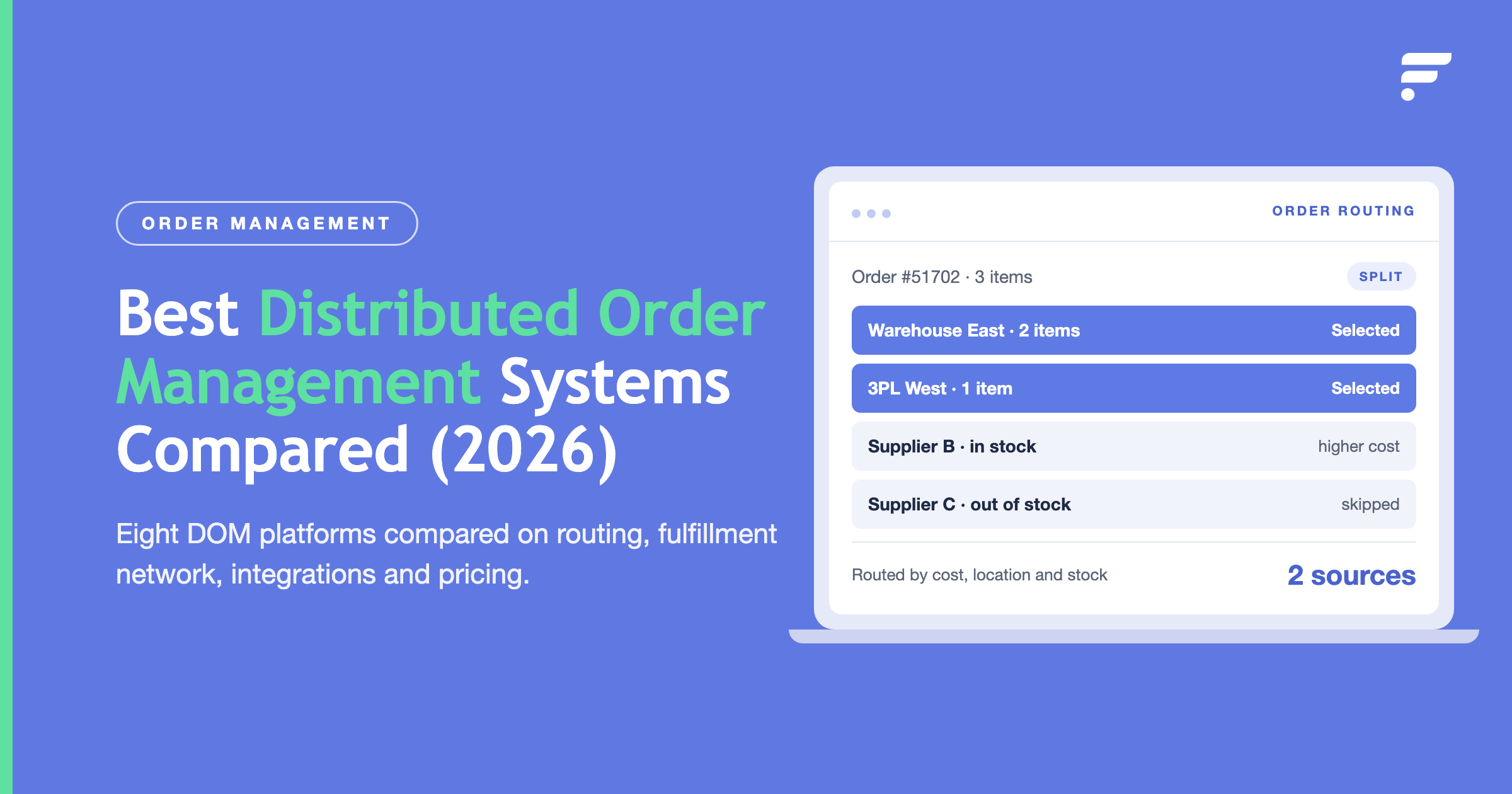
The platform provides real-time inventory synchronization with suppliers and sales channels to stop overselling before it happens. Order routing automatically directs customer orders to the most appropriate fulfillment source; whether that's a dropshipping supplier, warehouse, or third-party logistics provider; based on rules you configure around proximity, cost, or stock availability.
This automation helps you automate dropshipping orders at scale while maintaining reliable dropshipping inventory management across many suppliers, warehouses, and channels, including 3pl dropshipping partners.
Two strategic approaches to supplier integration
Flxpoint defines data movement through two core flows that represent different strategies for integrating supplier and channel data:
Left to Right Flow (Supplier-First Integration)
This approach imports product and inventory data directly from your fulfillment suppliers first. That data merges into your Product Catalog, then creates or updates listings on your sales channels. This flow works best for newer companies without established online sales channels or businesses that want to use supplier product data rather than maintaining their own. It also works well when transitioning to new suppliers powered by a dropshipping supplier API connection.
Right to Left Flow (Channel-First Integration)
This approach starts by importing existing product and inventory data from your sales platform. The imported listings merge in the Product Catalog, and that inventory then gets assigned and connected to the corresponding supplier. This flow fits businesses operating custom sales channels with personalized data or sellers moving from a different inventory system to Flxpoint. It's supported for major platforms including Amazon, BigCommerce, Magento, Shopify, and WooCommerce, and it offers a faster path to your first test order.
Flxpoint automates essential tasks like listing products, syncing inventory and pricing, retrieving new orders, and updating shipments across platforms like Amazon, Shopify, WooCommerce, ChannelEngine, and Newegg. The platform also integrates with shipping carriers and fulfillment centers, including providers handling 3pl dropshipping so tracking stays consistent across all channels.
Choosing the right integration strategy for your business
The right approach depends on where you are in your business journey and how you want to manage product data.
Choose a supplier-first strategy when you're launching a new store, expanding to new suppliers, or prefer to let supplier product data drive your catalog. This approach gets you to market faster because you're not manually creating product listings; you're importing complete product information directly from suppliers and pushing it to your sales channels.
Choose a channel-first strategy when you've already built an established store with customized product listings, when you're migrating from another platform to a new automation system, or when your product data includes custom descriptions, images, and attributes that differentiate your brand. This approach preserves your existing work and connects it to supplier inventory for fulfillment.
For most growing 3PL dropshipping businesses, the real competitive advantage isn't choosing between strategies; it's having a system flexible enough to handle both as your needs evolve. Whether you're testing products from new suppliers or scaling established bestsellers across multiple marketplaces, API integrations turn complex multi-supplier operations into automated workflows that run while you focus on growth.
Ready to automate your dropshipping operations? Request a demo and see how Flxpoint connects your suppliers and sales channels in one platform.
FAQ
How does a Shopify dropshipping API integration work?
A Shopify dropshipping API integration connects your Shopify store to one or more supplier APIs through a middleware layer or automation platform. When a customer places an order, the integration automatically routes it to the correct supplier via a POST request to their order endpoint.
Supplier inventory updates flow back to Shopify to keep stock levels accurate, and tracking information syncs to Shopify's Fulfillment API once the item ships. The core components are Shopify's Admin API (for products, inventory, and orders), your supplier's REST API, and a middleware layer to handle field mapping and automation logic.
Which supplier management systems offer API integrations?
Most modern supplier management systems offer REST API integrations, including platforms like Flxpoint, Inventory Source, and SPS Commerce. These systems connect to individual supplier APIs, such as those from CJDropshipping, Spocket, AutoDS, and Zendrop, and normalize the data into a consistent format your store can consume.
Enterprise-grade supplier management platforms also support EDI integrations for traditional wholesale suppliers that haven't adopted REST APIs.
What is the difference between REST API and EDI for dropshipping?
REST APIs are real-time, request-response integrations where your system sends an HTTPS request and receives structured JSON data back immediately or within seconds. EDI (Electronic Data Interchange) is a batch-based document exchange standard where structured files (purchase orders, invoices, ship notices) are transmitted on a schedule rather than in real time.
REST is the right choice for most dropshipping merchants because it enables live inventory updates and instant order submission. EDI is common in enterprise retail and traditional wholesale relationships where trading partner compliance requirements dictate the format.
How do enterprise retailers integrate marketplace and dropship channels into their tech stack?
Enterprise retailers typically use a combination of EDI for traditional wholesale supplier relationships and REST APIs for marketplace and direct dropship supplier connections. A supplier management API layer, either custom-built or provided by a platform like Flxpoint, sits between the retailer's ERP or OMS and the supplier network, normalizing data formats, enforcing routing rules, and providing visibility into inventory and order status across all channels.
At enterprise scale, integration architecture also needs to account for high order volumes, SLA-based routing logic, returns management, and compliance with individual marketplace seller requirements.
What is the best dropshipping API for a new Shopify store?
For new Shopify stores, the best dropshipping API is typically one that offers a native Shopify app alongside an API, so you can start with the app and move to custom API integration as you scale. Spocket and Zendrop are strong options for US/EU-focused merchants who prioritize faster shipping.
CJDropshipping offers the broadest catalog for merchants comfortable with longer shipping windows. AutoDS suits merchants who want to automate sourcing across multiple suppliers from a single platform rather than integrating each supplier's API individually.