Table of contents
- Introduction
- Common root causes of inventory sync problems
- How multi-vendor operations create inventory blind spots
- Why real-time inventory sync still fails
- What NetSuite inventory management costs
- The hidden cost of stockouts and the ROI of automation
- Leveraging NetSuite's native inventory capabilities
- How does NetSuite ecommerce automation fix sync problems?
- How middleware like Flxpoint reduces your total investment
- Flxpoint's approach to NetSuite inventory sync
- Frequently asked questions
Introduction
Inventory sync problems in NetSuite create more than small headaches. They slow teams down, distort financial reporting, and push dropship retailers toward competitors. When stock levels drift across systems, merchants deal with oversells, stockouts, support escalations, and hours of manual reconciliation.
Most sync issues share familiar patterns. You will see quantities that jump around without reason, listings that go inactive even when inventory is available, or items that show up with negative on-hand values. These issues often trace back to how inventory is mapped, how transactions post, and how external channels interpret availability.
This guide breaks down the most common root causes with practical fixes used by high-volume ecommerce teams. You will also see how a NetSuite ecommerce automation platform reduces manual intervention and stabilizes NetSuite inventory across every sales channel.
Common root causes of inventory sync problems
|
Root cause |
What it looks like |
Why it happens |
|
Inconsistent sync |
Synced ten, channel shows fifteen |
API limits, delayed imports, stale data |
|
Underreported stock |
Synced ten, channel shows six |
Missing fields, partial syncs |
|
Listings going inactive |
NetSuite shows two hundred, marketplace hides listing |
Missing availability logic |
|
Missing SKUs |
SKU disappears for a day |
Report timing gaps |
|
Negative inventory |
Wrong COGS and order issues |
Receiving errors |
|
Duplicate serials |
Two items share the same serial |
Transaction handling mistakes |
Inconsistent inventory sync across listings
One of the most frustrating issues merchants face is when product listings display incorrect quantities despite proper synchronization. You might sync ten units to a channel, only to see fifteen displayed to customers. This discrepancy often stems from mapping errors between NetSuite and your sales channel, where custom fields or inventory location settings don't align properly.
The problem compounds when you're managing inventory across multiple locations. NetSuite's multi-location functionality requires precise configuration. Each location needs proper setup with correct availability rules, or your sync operations will pull from the wrong inventory pools.
Underreported inventory
The opposite problem, showing fewer units than actually available, is equally damaging. When NetSuite holds ten units but your channel displays only six, you're leaving money on the table with every lost sale. This typically occurs when sync operations don't account for all available inventory locations, or when buffer stock settings inadvertently hold back more inventory than intended.
Listings going inactive despite ample stock
Perhaps nothing is more alarming than discovering your best-selling products have gone inactive on your sales channel, even though NetSuite shows hundreds of units available. This often results from threshold settings that don't align between platforms, connection interruptions that prevent proper status updates, or sync processes that misinterpret inventory availability rules.
Missing or disappearing SKUs in reports
SKUs that vanish from reports for a day or appear with wildly incorrect quantities point to deeper synchronization issues. These problems frequently emerge when item records lack proper configuration for drop shipping or when the connection between NetSuite and your integration platform experiences intermittent failures.
Negative inventory creating wrong COGS
Negative inventory isn't just a display issue. It actively distorts your cost of goods sold and financial reporting. When receiving processes allow negative on-hand quantities, they mask fundamental sync problems. Orders might be processed before receipts are properly recorded, or adjustment transactions could be firing in the wrong sequence.
Preferred vendor logic creates bottlenecks
NetSuite's purchase order automation relies on a single "preferred vendor" per item. When an order comes in, the system generates a PO to that vendor, no questions asked. There's no intelligence around stock availability, shipping distance, or cost. If your preferred vendor is out of stock, NetSuite still sends the PO. You only find out when the vendor replies that they can't fulfill it.
Beyond single vendor PO bottlenecks, managing inventory across distributed external fulfillment nodes introduces systemic communication delays and blind spots. When your supply chain expands to include dropshippers, 3PLs, and marketplace channels, NetSuite's synchronization challenges and stockout risks multiply rapidly.
How multi-vendor operations create inventory blind spots
Modern ecommerce rarely involves shipping everything from a single warehouse. Your fulfillment network likely includes own warehouses updating in real time, dropship vendors on daily batch CSV or Excel files, 3PL partners every four hours over EDI or XML, Amazon FBA hourly through an API with limits, and retail stores exporting from the POS at end of day.
Each source operates on different schedules, uses distinct data formats, and requires separate integration methods. NetSuite becomes a repository for yesterday's inventory truth rather than today's selling reality.
Dropship suppliers and third-party vendors often provide inventory feeds that are outdated before you receive them. A vendor might send a morning inventory file, but by the time you've processed and imported it into NetSuite, they've already sold half the stock to other retailers. Without real-time vendor connectivity, you're always operating on stale data.
NetSuite's allocation logic works well for straightforward scenarios but struggles with complex routing decisions. When an order could be fulfilled from your warehouse, two different dropship vendors, or a combination of sources, the system needs sophisticated rules to determine the optimal fulfillment path. Standard configurations often default to simple first-in-first-out logic that doesn't account for shipping costs, delivery speeds, or vendor reliability.
Why real-time inventory sync still fails
Real-time synchronization sounds straightforward until you examine the technical requirements. Channels like Amazon restrict how often you can check inventory, each system in the chain adds latency, internet outages disrupt sync processes, and converting between data formats takes processing time.
Even with perfect connectivity, a customer might complete a purchase in the 300 milliseconds between your inventory check and order submission.
One oversold item can trigger a chain reaction. Multiple orders arrive at once across channels, NetSuite processes them one after another rather than simultaneously, the last orders exceed available inventory, customer service scrambles for replacement stock, manual adjustments throw off the forecasting algorithms, reorder points become unreliable, and future stockouts become more likely.
To prevent stockouts, businesses often maintain buffer stock held back from sale. But that safety stock ties up capital and warehouse space, and NetSuite can't dynamically adjust it based on real-time demand signals from all your channels and vendors. You're left choosing between stockout risks and carrying costs.
Understanding the operational root causes of sync latency and stockouts is only half the equation. Businesses must also weigh the total financial footprint of their NetSuite deployment, because technical sync failures carry direct monetary consequences.
What NetSuite inventory management costs
NetSuite runs on an annual subscription built from three pieces: the core platform, optional modules, and the number of users, plus a one-time implementation fee. The base license starts at approximately $11,988 per year and includes financial management, basic inventory and order management, and entry-level CRM.
Inventory tracking is part of the core platform, so you don't need a separate module just to log stock or fulfill orders. Advanced features like lot tracking, serialized inventory, and bin management require the NetSuite Advanced Inventory module.
Each additional user costs around $1,188 per year, so a team of ten adds roughly $11,880 annually, and costs climb quickly for larger teams. Advanced inventory features live in optional modules that range from $599 to $1,999 per month each, unlocking lot management, serialized inventory, bin management, matrix items, and landed cost allocation.
NetSuite also charges a one-time implementation fee to configure the system, migrate data, and train your team, from a few thousand dollars for a simple deployment to tens of thousands for a complex, multi-location rollout.
The hidden cost of stockouts and the ROI of automation
A stockout costs more than one missed transaction. The immediate losses include the lost sale, wasted marketing spend on out-of-stock products, expedited shipping from alternate locations, and customer service time.
The long-term damage runs deeper: lower customer lifetime value, negative reviews, marketplace ranking penalties, and brand reputation harm. There's a quieter cost too, when stockouts suppress demand, NetSuite's planning underestimates future need, which feeds a loop of conservative ordering and more stockouts.
On the return side, demand-based planning orders against actual patterns instead of guesswork, which frees cash and cuts storage costs. Real-time dashboards replace spreadsheets and save hours every week, reliable availability protects customer trust, and automation lets you scale order volume without scaling headcount at the same rate. That operational leverage is where the ROI compounds over time.
While integration friction and external vendor syncing require specialized handling, NetSuite natively offers enterprise-grade warehouse control. Configured correctly within owned facilities, its built-in modules provide deep visibility and precise physical tracking.
Leveraging NetSuite's native inventory capabilities
NetSuite Advanced Inventory Management gives businesses a unified, real-time view across all locations, whether you're running warehouses, retail stores, drop shippers, or third-party logistics providers. It automates the inventory lifecycle, reduces carrying costs, and brings data from every sales channel into a single dashboard so inventory decisions rely on data rather than guesswork.
How NetSuite automates inventory tracking
Smart Count lets cycle counts happen without freezing a location. NetSuite captures inventory levels when a count begins, tracks any transactions during the count, and alerts your team to adjust, all manageable on mobile devices.
For regulated products, lot and serial tracking give complete forward and backward traceability, and bin management pinpoints exact storage locations, which supports strategies like first expiring, first out. Demand-based replenishment then manages reorder points automatically using historical sales, seasonal patterns, and supply chain logistics.
What inventory forecasting NetSuite offers
NetSuite's forecasting goes beyond simple averages. It weighs average lead times, historical demand, and your preferred days of supply to calculate precise reorder points and stock levels, with per-location safety stock you can override for unusual situations. Seasonal analysis adjusts to your defined interval so you aren't planning peak season on off-season data, and lead times are calculated by averaging the three most recent fully received purchase orders, so planning gets more accurate over time.
How NetSuite handles multi-location inventory
Predefined fulfillment rules eliminate multiple shipments for a single order and prevent excess shipping charges, while giving complete visibility into stock across every location. Sales teams can transfer, hold, or ship from an alternative location to save an otherwise lost sale. The Item 360 Dashboard consolidates KPIs, inventory counts by location, and projected stock levels with proactive alerts for anticipated shortages or overstocks, turning inventory management from reactive to strategic.
How does NetSuite ecommerce automation fix sync problems?
A NetSuite ecommerce automation platform doesn't just make processes faster. It makes them more accurate and scalable. When you remove manual touchpoints, you eliminate the errors that come with them.
Continuous inventory sync
Instead of scheduled imports, automation pulls vendor inventory in real time. When a vendor's stock level changes, your NetSuite instance reflects it immediately. That means your sales channels always show accurate availability.
Dynamic order routing
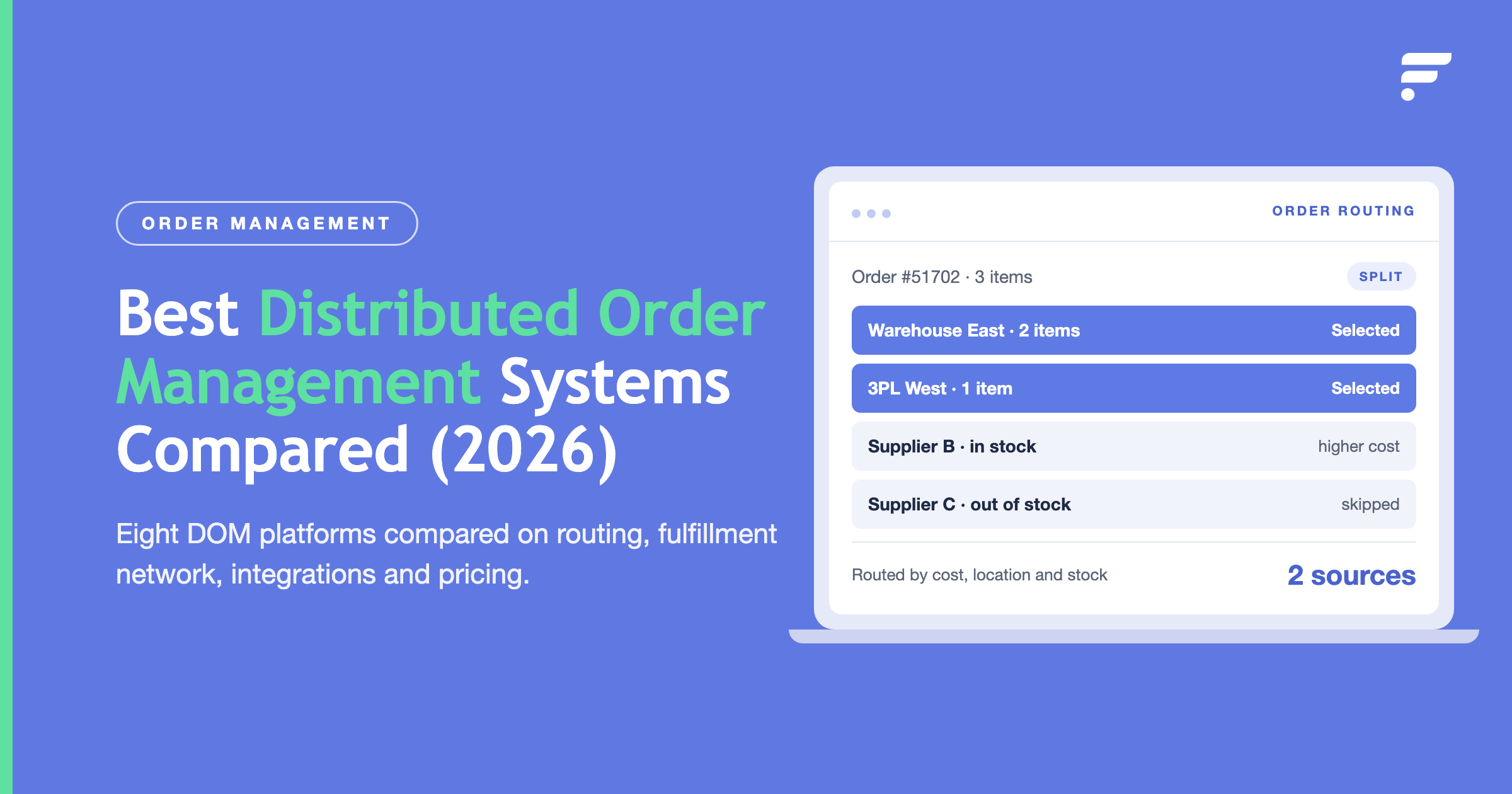
Rather than relying on a single preferred vendor, automated routing evaluates every fulfillment option based on your business rules. Stock availability, shipping cost, delivery speed, and margin protection all factor into the decision. The order routes to the best vendor automatically, no manual review needed.
Automatic record creation
Sales orders, purchase orders, and item fulfillments generate without human intervention. When tracking information arrives from a vendor, it flows directly into NetSuite and back to your sales channel. Customers get shipment notifications instantly, and your accounting stays clean.
We've seen teams cut their order processing time from 15 clicks per order down to zero. That's not hyperbole. It's what happens when you let systems do what they're designed to do.
To bridge the gap between NetSuite's core financial ledger and external sales channels, modern retailers deploy dedicated integration middleware. Operating outside NetSuite's internal script constraints unlocks scalable multi-channel execution and cost savings.
How middleware like Flxpoint reduces your total investment
NetSuite's pricing reflects its enterprise-grade capabilities, but you don't have to absorb every cost to get the automation you need. A middleware platform sits between NetSuite and your vendors, channels, and warehouses, handling integrations and workflows that would otherwise require custom development.
It routes each order against your business rules for lowest cost, fastest delivery, or fewest split shipments, which NetSuite can't do natively even with add-on modules. It lets you browse vendor catalogs and merchandise only the products you want before creating NetSuite records.
It connects vendors over EDI, API, CSV feeds, or their ecommerce sites without developers for each connection, and absorbs the maintenance when a vendor changes format. Because inventory sync runs outside NetSuite's governance model, you can scale to hundreds of vendors without hitting script or API caps, and item fulfillments with tracking get created automatically instead of by hand.
Flxpoint's approach to NetSuite inventory sync
Flxpoint connects to NetSuite as an automation layer that handles what the platform can't do natively. We pull inventory from all your vendors, whether they use EDI, API, CSV files, or their own ecommerce site, and aggregate it into a single view. That aggregated inventory syncs directly to NetSuite and your sales channels in real time.
When an order comes in, Flxpoint evaluates every fulfillment option based on your routing rules. Stock availability, cost, shipping distance, and delivery time all factor in. The order routes to the best vendor automatically, and we generate the corresponding sales order and purchase order in NetSuite without manual intervention.
Tracking information flows back automatically. When a vendor ships, Flxpoint creates the item fulfillment in NetSuite and sends the tracking number to your customer. Your accounting stays accurate, your customers stay informed, and your team stops chasing down shipment details.
We've built pre-integrations with hundreds of vendors and marketplaces, so most setups happen without custom development. If your vendor uses a less common system, we handle that too, through file mapping, vendor portals, or custom API work when needed. The result: your NetSuite inventory becomes something you trust. Orders route correctly. Stock levels stay accurate. Your team focuses on scaling instead of fixing sync errors.
Managing enterprise inventory in NetSuite brings up recurring technical and financial questions. These answer the most common ones ecommerce teams ask when resolving sync errors, weighing module costs, and configuring automated fulfillment.
Looking to automate your NetSuite ecommerce operations? Explore our complete guide to NetSuite ecommerce automation or check out our articles on optimizing NetSuite for multi-channel sales and streamlining NetSuite order management.
Frequently asked questions
Why do stock levels on my store differ from my NetSuite counts?
This is usually synchronization lag, API rate limits, or mismatched location mapping between NetSuite and channels like Shopify or Amazon. When high volumes flow through channels, native batch updates that run hourly or daily create timing gaps where multiple orders claim the same stock.
Why does NetSuite oversell even when the inventory looks correct?
Overselling comes from timing, not a wrong number. When several channels sell at once, NetSuite processes orders one after another, so the last few can claim stock that is already gone. Vendor feeds that update once or twice a day make it worse. Real-time aggregation across every source closes that gap.
Why is my NetSuite inventory not syncing in real time?
NetSuite shows real-time data only for the data it receives. If a vendor sends a daily CSV, a 3PL updates every four hours, and a marketplace batches at end of day, large parts of your inventory are hours behind no matter how fast NetSuite runs. Continuous vendor connectivity that pushes changes as they happen is the fix.
Does NetSuite Advanced Inventory prevent overselling on its own?
Not by itself. It gives multi-location visibility, demand-based replenishment, and lot or serial tracking, which are strong foundations. But it does not pull live stock from dropship vendors or aggregate availability across every source, so overselling still happens where outside vendors and channels meet NetSuite.
How much does NetSuite Advanced Inventory cost?
The base license starts around $11,988 per year and includes basic inventory. The Advanced Inventory features live in an add-on module that ranges from about $599 to $1,999 per month, plus roughly $1,188 per user per year and a one-time implementation fee from a few thousand dollars to tens of thousands.
How do you sync inventory across multiple vendors and warehouses?
Aggregate first, then sync. Pull stock from every source, normalize the formats into one number, and push that single available-to-sell figure to NetSuite and every channel. Doing it by hand across many vendors doesn't scale, which is why high-volume teams use an automation layer that connects vendors on EDI, API, or file feeds.
Why does negative inventory show up in NetSuite, and how do I fix it?
Negative on-hand values almost always mean transactions post out of order, usually an order fulfilling before the matching receipt is recorded. It also corrupts COGS. Fix it by tightening receiving so stock is recorded before it can be sold, and by removing the manual steps where order and receipt timing drift apart.