.png?width=2240&height=1260&name=Office%20Supplies%20Inventory%20Management%20(1).png)
Introduction
The last six months of Flxpoint's feature releases share a theme. Every update solved a specific, recurring problem for founders running multi-channel operations.
Between January and June 2026, the team shipped fixes for more than ten problems that quietly drained margins, hours, and patience. Some are small. Some are big.
Here are ten problems solved, and why each one matters when you are running a high order volume business across multiple suppliers and sales channels.
1. Tracking Shipping Deadlines Manually Across Sales Channels
Managing ship deadlines across a dozen sales channels usually means juggling spreadsheets, CSVs, and channel-specific rules to decide what ships first.
The new Ship By Date field adds a prioritization signal to every order line item. Set it on import with a rule, such as the order date plus two days, or map it to a channel value like Amazon's Latest Ship Date.
The order grid lets you filter by this field, so one click pulls up everything due in the next few days. Manual SLA tracking becomes a working queue that automatically reorders itself as new orders arrive.
2. Find the Orders That Slipped Through
In a high-volume flow, orders sometimes miss a workflow, skip a processing step, or never get flagged, then sit unnoticed until a problem surfaces.
So Flxpoint added two new tag comparators aimed right at that blind spot.
Has At Least One surfaces any order carrying a tag.
The real workhorse is Has None which shows orders with no tags at all, the ones that skipped a rule or never got processed. Pair the two and you get a clean split between what your automation touched and what fell through.
3. Get a Thousand Products Live Without Waiting
Large catalog updates often turn into overnight projects. Publishing thousands of SKUs across multiple sales channels can take hours, especially when every item has to wait for the previous one to finish.
Flxpoint launched Quick Build, which creates products and listings for up to 1,000 inventory items at once, allowing large SKU publishing jobs to move through the system much faster.
Whether you are launching a seasonal catalog or onboarding a new supplier, your products reach sales channels sooner, helping you start selling instead of waiting for lengthy publishing and inventory synchronization jobs to finish.
4. Hunting for Duplicate SKUs Before They Multiply
Checking whether a product already existed meant digging through exports or manual UI checks, which slowed catalog work and let duplicates creep in.
Now you can search by UPC directly across the inventory, product, and listing variant endpoints. Before you build anything, a quick lookup tells you whether that item already lives in the catalog.
Matching and deduplication happen in seconds instead of becoming a weekend project down the line.
5. Guessing Why an Order Routed Where It Did
Routing logic used to be scattered and hard to reason about. When an order went somewhere unexpected, working out why meant digging.
Flxpoint rebuilt the routing group experience into a single grid you can search, sort, and edit, with a guided setup that runs in three steps. Your preferred internal warehouse is always attempted first to hold down cost. Lowest cost with the fewest sources is the default strategy after that.
A source priority list settles any remaining ties. Advanced mode is there when you want to build the logic by hand. When an order routes, you can see exactly which rule decided where it went.
6. Catch Broken Bundles Before Customers Do
Bundle products only work when every linked inventory item exists and stays connected correctly. If one relationship breaks, customers can buy products that cannot actually be fulfilled.
Flxpoint introduced bundle filtering so you can slice listings by number of components, component SKUs, or component sources. That makes it quick to find every listing tied to a bundle and replace a missing SKU the moment a supplier drops a product.
Catching broken or incomplete bundles before they publish means fewer fulfillment issues, fewer customer headaches, and cleaner listings. What used to be a reactive cleanup after complaints becomes a check you can run on your own schedule.
7. Know What Every Manual Job Is Doing
Every manual sync, build, export, or customization used to disappear into the background. Checking status meant remembering where you started it, then refreshing the page or digging through logs.
Flxpoint shipped User Scheduled Jobs to put all of that in one view. Each job shows a live status, whether it is scheduled, running, completed, or needs attention, with a link straight to the result.
8. Catalog Mismatches That Quietly Cost You Margin
Small mismatches in linked inventory, like wrong costs, brand inconsistencies, or bad identifiers, hide quietly until they turn into margin loss or broken automations.
The Inventory Link Audit scans your linked inventory and flags exactly those problems in a clear report. Instead of discovering an incorrect cost after it has eaten your margin on a hundred orders, you see it in the audit and fix it first. It catches the identifier issues that silently break automations downstream, too.
Think of it as a routine health check for the catalog, the kind of maintenance that prevents the expensive surprises nobody budgets for.
9. Bad Pricing Syncing Straight to Your Channels
A pricing glitch syncs to your sales channels, and you learn about it when an item sells far below cost. Flxpoint added List Price Protection, a channel-level control that blocks listings from syncing when pricing data fails minimum requirements.
A listing will not sync unless the pricing clears three basic checks. List price has to be greater than estimated cost, estimated cost cannot be zero or missing, and the listing has to link to a product with at least one linked inventory item.
Anything that fails gets held back instead of pushed live, so a data glitch upstream never becomes a margin hit downstream.
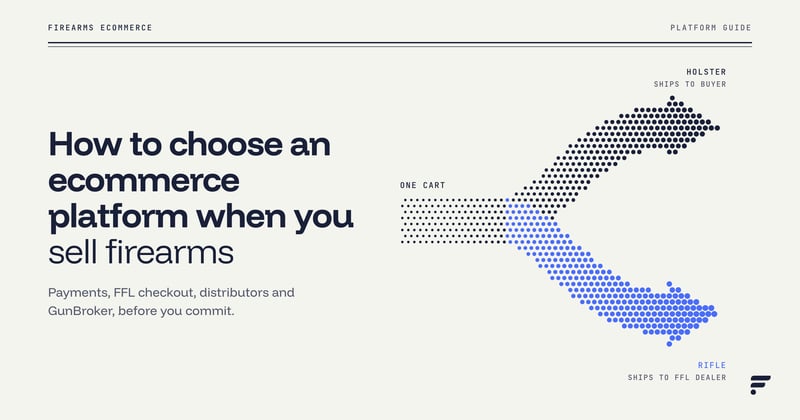
10. Get Firearm Compliance Right From the Start
Firearm compliance becomes much harder when product classification depends on custom fields or manual work. Flxpoint now exposes the Requires FFL field throughout inventory, products, listings, imports, and routing workflows.
Because the classification travels with the product from the beginning, routing rules and listing automation can automatically apply the correct compliance logic. Businesses selling regulated products spend less time maintaining custom workflows while reducing the risk of inconsistent firearm classification across connected systems.
More Than Ten
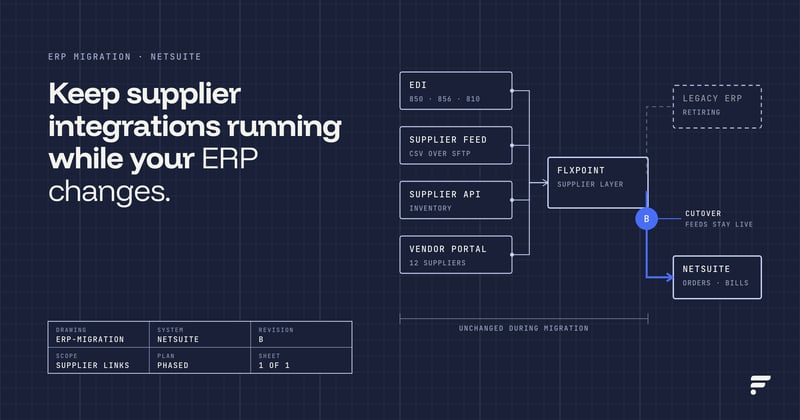
Alongside these ten fixes, Flxpoint also added prebuilt integrations across firearms, pharmaceutical, and print-on-demand suppliers, from Coreware and Rapid Gun Systems to Kinray and Printify and AmerisourceBergen. Six months of releases, all pointed at the same goal: less manual work as you scale.
Ready to Book a Demo?
These ten fixes are only part of the picture. If they sound like the problems you keep running into, Flxpoint was built to take them off your plate as your operation grows.
Book a demo to see how it handles your suppliers, sales channels, and order volume in one place.