| Who it’s for | Automotive and powersports sellers buying from two or more distributors, such as Turn 14, Keystone, Meyer, Premier, WPS or Parts Unlimited |
| What you’ll get | The cost math at your order volume, what carries over (fitment, MAP, distributor maps), a five-step move plan and a checklist to print |
| ✕ Today | ✓ On Flxpoint |
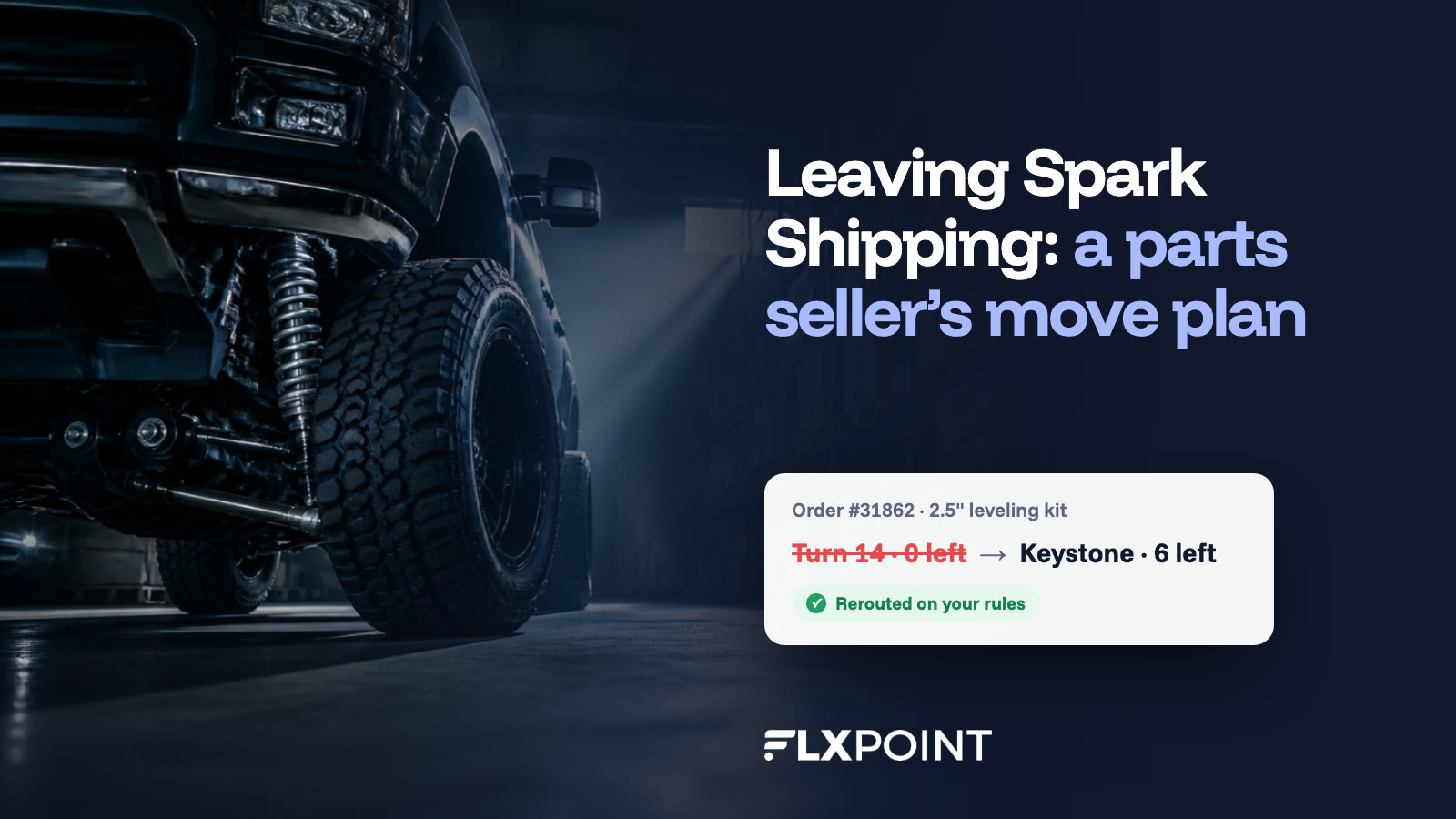
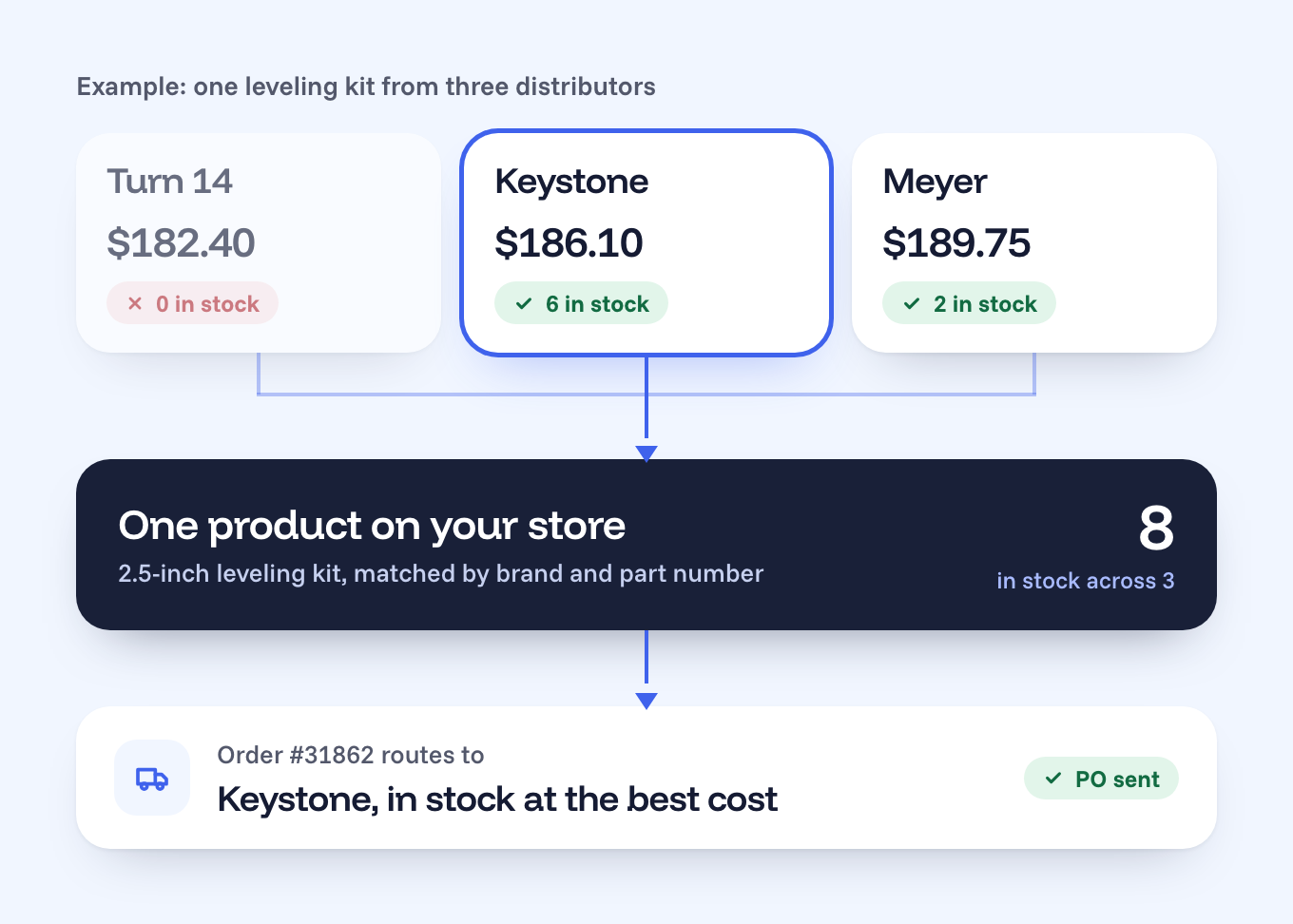
| Log into each distributor portal to check stock | Orders route to the distributor with the part, on your rules |
| Three listings for the same part from three distributors | One product, matched by brand and part number |
| Discontinued parts stay live until someone orders one | Listings pull back when the part leaves the feed |
| Order caps and per-vendor fees climb as you grow | 3,000 orders and 8 suppliers on one flat plan |
Why parts sellers outgrow their dropship tool
Spark Shipping does a lot right for auto parts. It has prebuilt connections to the big distributors and it handles SEMA fitment data, which is why so many parts sellers start there. Sellers usually start looking around when the business gets bigger than the setup, and the reasons tend to sound alike.
Your order count starts showing up on the invoice
Spark’s published plans include 200, 1,500 or 5,000 orders a month, with 39 cents for each order over the limit, and they cap vendor integrations at 3, 5 or 10 (Spark pricing). A seller adding a fourth or sixth distributor tends to hit both caps at about the same time, which is exactly when the business can least afford a surprise on the bill.
One part shows up as three distributor SKUs
The same shock or light bar arrives from Turn 14, Keystone and Motor State under three SKUs, three costs and three stock counts. Flxpoint merges them into one product with a reference ID built from the brand (or AAIA code) plus the manufacturer part number, then picks which distributor fills each order by stock, cost and your rules. Black Patch Performance, which moved off Spark Shipping and now runs 500,000+ SKUs through Flxpoint, made reference IDs its main way to match parts across suppliers (case study).
Public reviews of Spark point to the same friction: one owner wrote that with several suppliers, “product mappings or sync settings require manual adjustment” (Capterra).
A part nobody has stays live on your store
Discontinued and out-of-stock parts are the quiet margin killer in automotive, because the feed stops mentioning them instead of zeroing them out. When a part drops out of the distributor data, Flxpoint pulls the listing back and restores it when the data returns, so the store only sells what someone can ship. Black Patch’s owner put it simply: “That’s really the way it should work.”
Nobody on your team was hired to babysit connections
Every Flxpoint plan includes a dedicated implementation specialist, and our integration team builds the EDI and API work most tools hand back to you, then keeps watching every feed after launch.
“
You can’t even come close to hiring someone to do what Flxpoint does for the price.
Jonathan Williams, Owner, Black Patch Performance · 500K+ SKUs managed, 90% of manual work reduced
You won’t be the first parts seller to make this move
From Spark Shipping→✓ Flxpoint
“It was all hands off and they managed it for us, which was nice in a sense, but it meant there was no scaling the business.”
Jonathan Williams, Owner, Black Patch Performance, on the setup he left · case study
Black Patch isn’t the only one. Flxpoint customers who moved over from Spark Shipping include a Canadian truck and auto accessories retailer running 12 suppliers through Flxpoint, an off-road motorsports shop, and a retailer that brought its hunting, outdoor and automotive stores across together, 13 suppliers in all.
When they moved, these are the reasons they gave our team:
- Support that stopped keeping up once the business depended on it
- No way to edit supplier titles, descriptions and images before they reached Shopify or BigCommerce
- Order routing limited to a few preset rules, with no extra steps before an order goes out
- One login for the whole team
That feedback dates from early 2025 and some of it may have changed since, so ask any vendor to show you each of these live before you decide.
The cost math at your order volume
Here’s the comparison most parts sellers ask for first, using both companies’ published list prices in October 2026. Spark Shipping’s Growth plan is $499 a month with 1,500 orders included and 39 cents for every order after that (Spark pricing). Flxpoint’s Business plan is $799 a month, or $699 a month billed annually, with 3,000 orders, 8 source connectors and 500,000 SKUs included (Flxpoint pricing).
| Spark Shipping GrowthFlxpoint Business | |
| 1,500 orders/mo | $499$799 |
| 2,000 orders/mo | $694$799 |
| 2,500 orders/mo | $889$799 |
| 3,000 orders/mo | $1,084$799 |
Monthly list prices. Spark: $499 plus $0.39 per order over 1,500. Flxpoint Business is $799 billed monthly or $699 a month billed annually, and includes up to 3,000 orders a month; above that is the Pro plan. Before add-ons.
The crossover sits at about 2,270 orders a month on monthly billing, or about 2,010 on annual. Below that line Spark’s list price is lower, and we’ll tell you so on a call. Above it, the gap widens with every order you ship.
Distributor count moves the math too. Spark’s Growth plan includes 5 vendor integrations, charges $25 a month for each extra one, and lists a $999 done-for-you setup for any custom API or EDI vendor that isn’t on its prebuilt list. Flxpoint Business includes 8 source connectors, extra connectors are $50 a month, and file-based connections (CSV, FTP and SFTP) carry no extra charge.
What about onboarding?
On Flxpoint it’s optional. Every plan comes with a dedicated implementation specialist who maps your supplier connections and checks everything before you go live; the two paid packages (Essential at $4,800 and Premium at $9,600) are for setups with many suppliers or advanced routing.
What you may have read about switching
If you’ve been comparing tools, you’ve probably seen claims about Flxpoint on other vendors’ comparison pages. Here’s where things stand today.
You may have read: Flxpoint locks you into a yearly contract
True in October 2026: Plans bill monthly, with 12% off if you choose annual (pricing).
You may have read: Onboarding is mandatory and costs thousands
True in October 2026: Onboarding packages are optional. Every plan includes a dedicated implementation specialist.
You may have read: Flxpoint has no fitment support
True in October 2026: Flxpoint pulls product data, fitment and images from SEMA Data and passes Year/Make/Model fitment to Convermax search on your store (automotive features).
You may have read: Switching means days without orders
True in October 2026: You run Flxpoint next to your current tool and only switch routing when stock, prices and test orders match (step 4 below).
How the move works, step by step
Every move follows the same five steps. Your implementation specialist sets the dates with you, and this order is the one that keeps orders flowing the whole way through.
| 1 | Line up distributor access Who: You, with our team List every distributor account, how it connects (API, FTP or files) and who holds the credentials. Ask for production API access early: Turn 14 has you test in its sandbox before it switches on production, and Keystone may need to approve the IP addresses the connection comes from. |
| 2 | Export what you have today Who: You Pull your current SKU map (store SKU to each distributor SKU, with cost and priority), your brand and do-not-sell filters, your MAP rules and your CARB/EPA and Prop 65 flags. These are the rules that keep you out of trouble, so they go in before the first import. |
| 3 | Map it once in Flxpoint Who: Our team Your implementation specialist connects each distributor, merges duplicate parts into one product, sets pricing and MAP rules, connects SEMA Data fitment and builds the routing: your own stock first if you carry any, then the distributor with the part in stock at the best cost. |
| 4 | Run both side by side Who: You and our team Keep your current tool live while Flxpoint syncs. Compare stock and price for a sample of parts from every distributor, and place one test order per distributor, including a split order and the tracking that comes back. |
| 5 | Cut over, then watch Who: Our team Switch order routing to Flxpoint, turn off the old connections and review the first week of orders, cancellations and tracking together. After launch our integration team keeps watching every feed. |
“
Where it took us six months to get onboarded with the other company, we were up and running in a week or two with Flxpoint.
A good moment to update fitment
ACES 5.0 and PIES 8.0 were released on April 2, 2026, and each trading partner sets its own date to accept them (overview). A platform move is a natural time to check which version your channels and fitment search expect.
The pre-move checklist
Print this before your first call
Tick each one off as you go.
When staying put is the right call
If you ship fewer than about 2,000 orders a month, buy from one or two distributors and your current setup isn’t eating anyone’s week, switching probably isn’t worth it yet. The move starts paying off when you add distributors, when order volume passes the crossover above, or when someone on your team spends their days fixing mappings by hand.
See your distributors connected in Flxpoint.
Bring your distributor list and your order volume, and we’ll show you the routing, the fitment and the cost at your numbers.
Get a DemoQuestions parts sellers ask
Can I keep selling while we switch?
Yes. Your current tool keeps running until the side-by-side check matches, and then routing moves to Flxpoint. Orders never stop in between.
Do I need a developer?
No. Most connections are set up through guided setup, and our integration team builds any custom EDI or API work for you.
Does Flxpoint connect to my distributors?
Flxpoint has prebuilt connections to Turn 14, Keystone, Motor State, Parts Unlimited, Tucker, Western Power Sports, American Tire Distributors, Wheel Pros, U.S. AutoForce and Automatic Distributors, among 100+ pre-integrated suppliers in the Supplier Directory. Distributors that send files, FTP feeds or EDI connect too.
What happens to my fitment data?
It comes across with your products. Flxpoint pulls fitment from SEMA Data or from the distributor feed and passes Year/Make/Model data to Convermax search on your store.
How long does the move take?
It depends on how many distributors and channels you connect, and your implementation specialist sets the dates with you on the first call. Inhaven, a vacation-rental goods marketplace, was up and running in a week or two.
Sources (checked October 2026)