This month’s updates are focused on giving your team more control and reducing day-to-day friction. From more flexible product customizations to improved PO visibility, packing slip clarity, and faster order lookups, these enhancements are designed to simplify operations and keep your workflows moving.
Here's what's new.
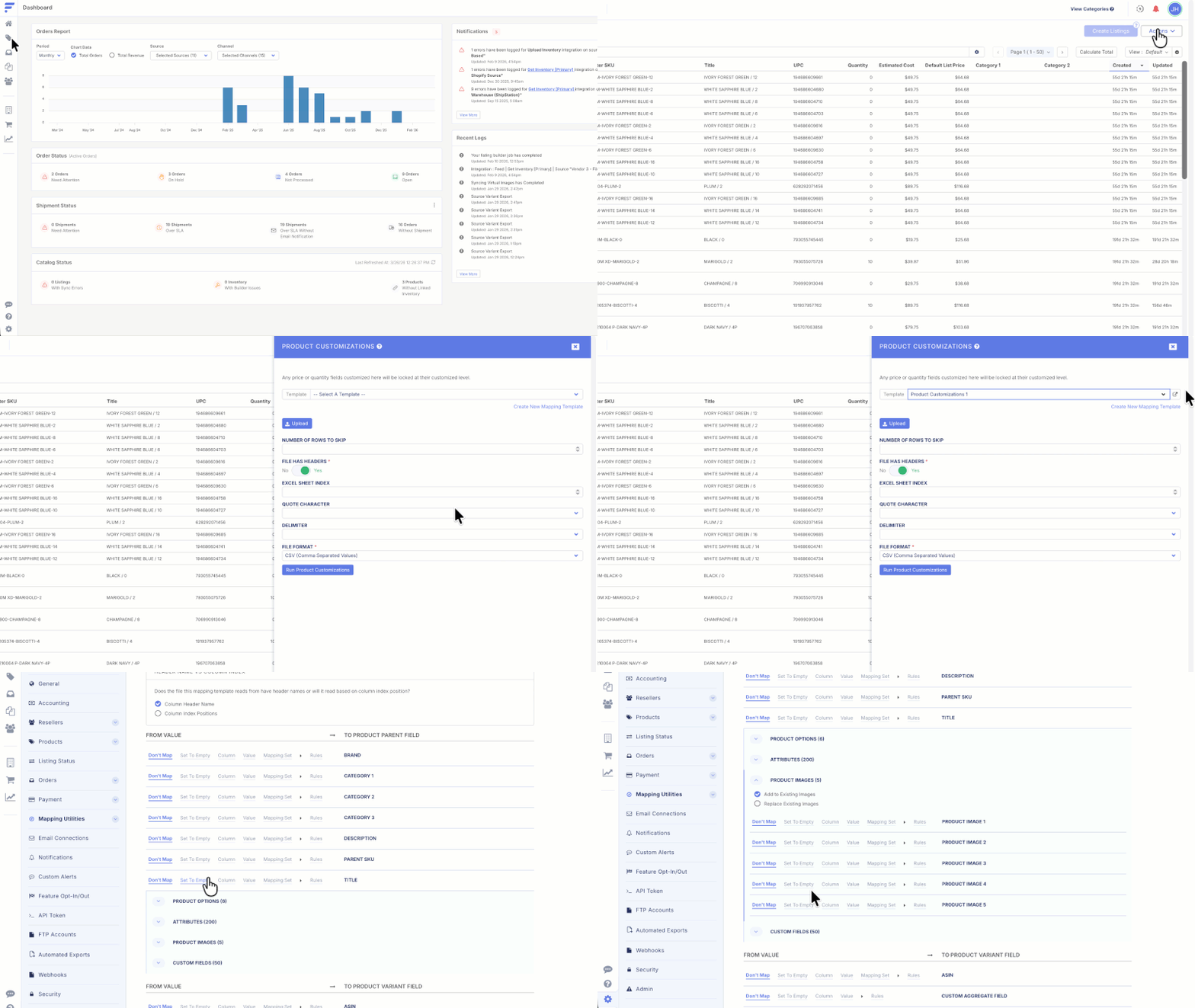
Add/Replace Option on Customization Templates
When running a customization job to modify fields like images and custom fields, you can now choose to add to existing values or replace them entirely.
Previously, customizations would only add to what was already there, requiring a workaround to fully overwrite existing values.
Why Should I Care?
No more rebuilding products and listings just to make a change. Whether you are swapping out a full image set or updating custom field values, you now have more control over your merchandising.
Auto Copy Crossdock PO # on Stub POs
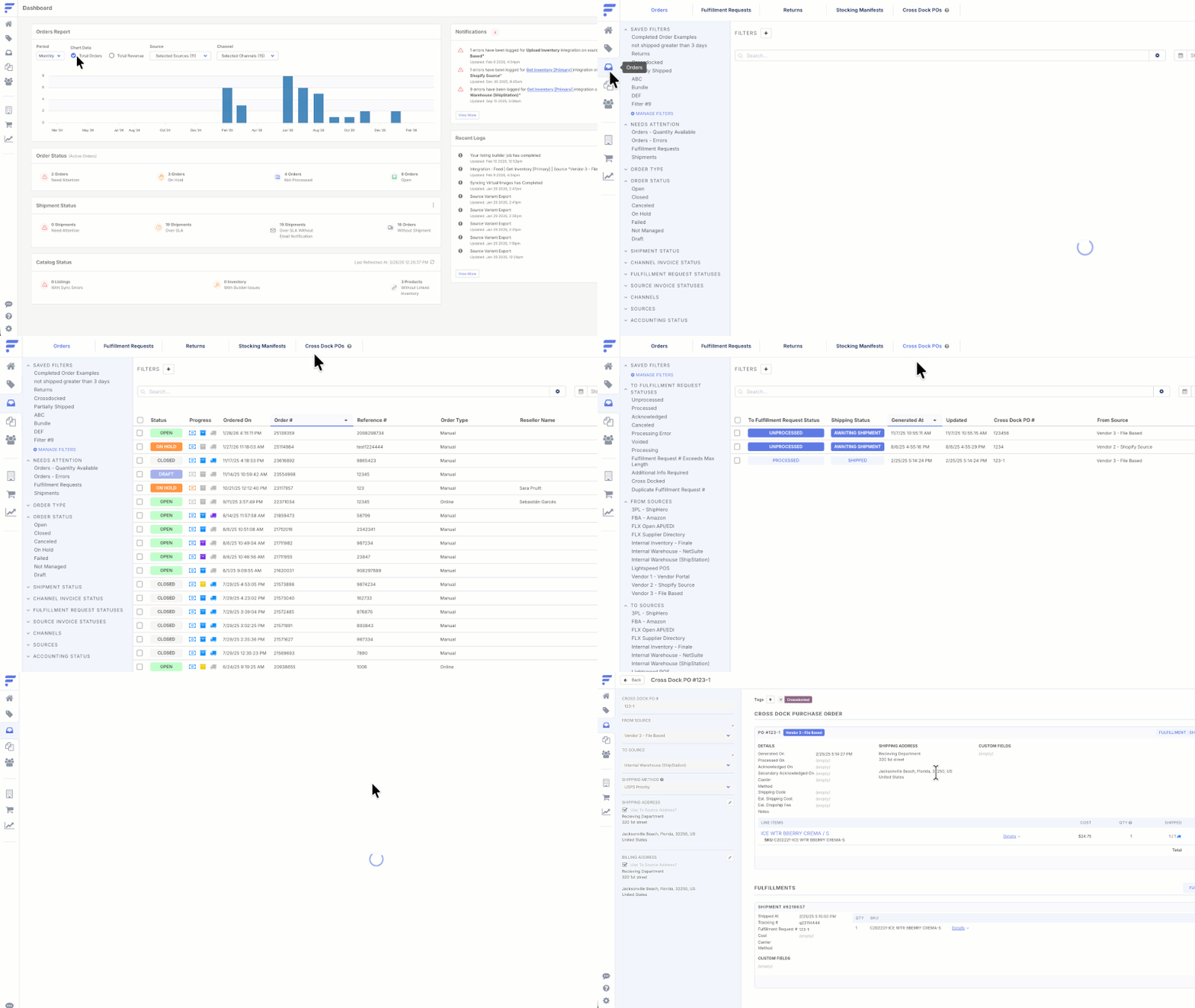
When fulfillment requests are crossdocked, we now add the crossdock PO number as a custom field on stub POs.
Why Should I Care?
Stub POs previously had no reference back to the crossdock PO, making it difficult to trace the connection in Flxpoint with your WMS. Now, association is visible where you need it, allowing you to map this value when sending stub POs to your WMS, reducing manual lookups and keeping your workflows connected.
Packing Slip Format Configuration
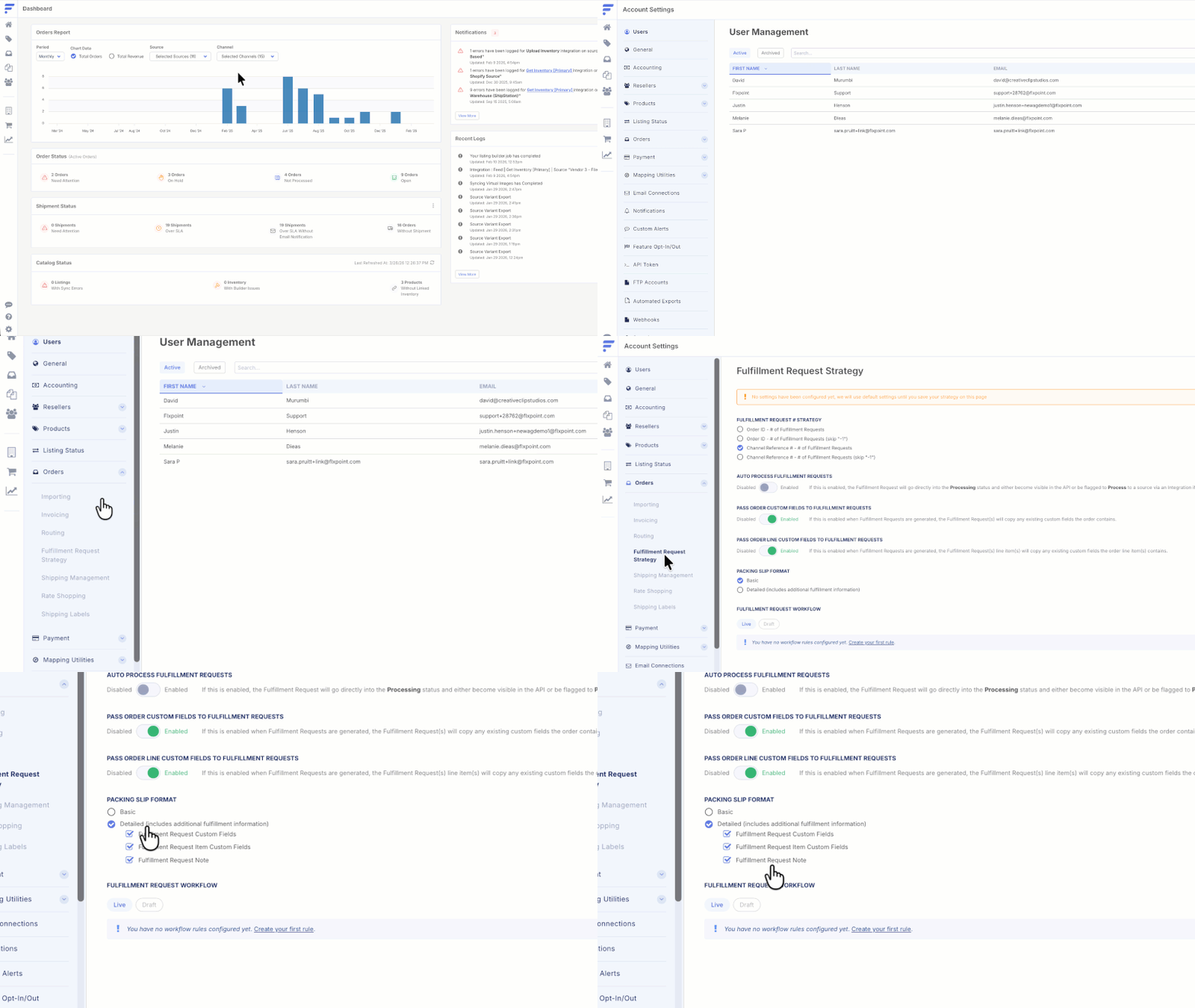
You can now choose between a Basic or Detailed packing slip format in your general settings.
Detailed packing slips include everything in Basic in addition to fulfillment request custom fields and fulfillment request notes. Set your default once, and override it at the source level whenever needed.
Why Should I Care?
Detailed packing slips mean your fulfillment team has exactly what they need at pick and pack time, from special handling instructions and order notes, to gift messages. Fewer missed details and fewer incorrect shipments.
Query API by Reference #
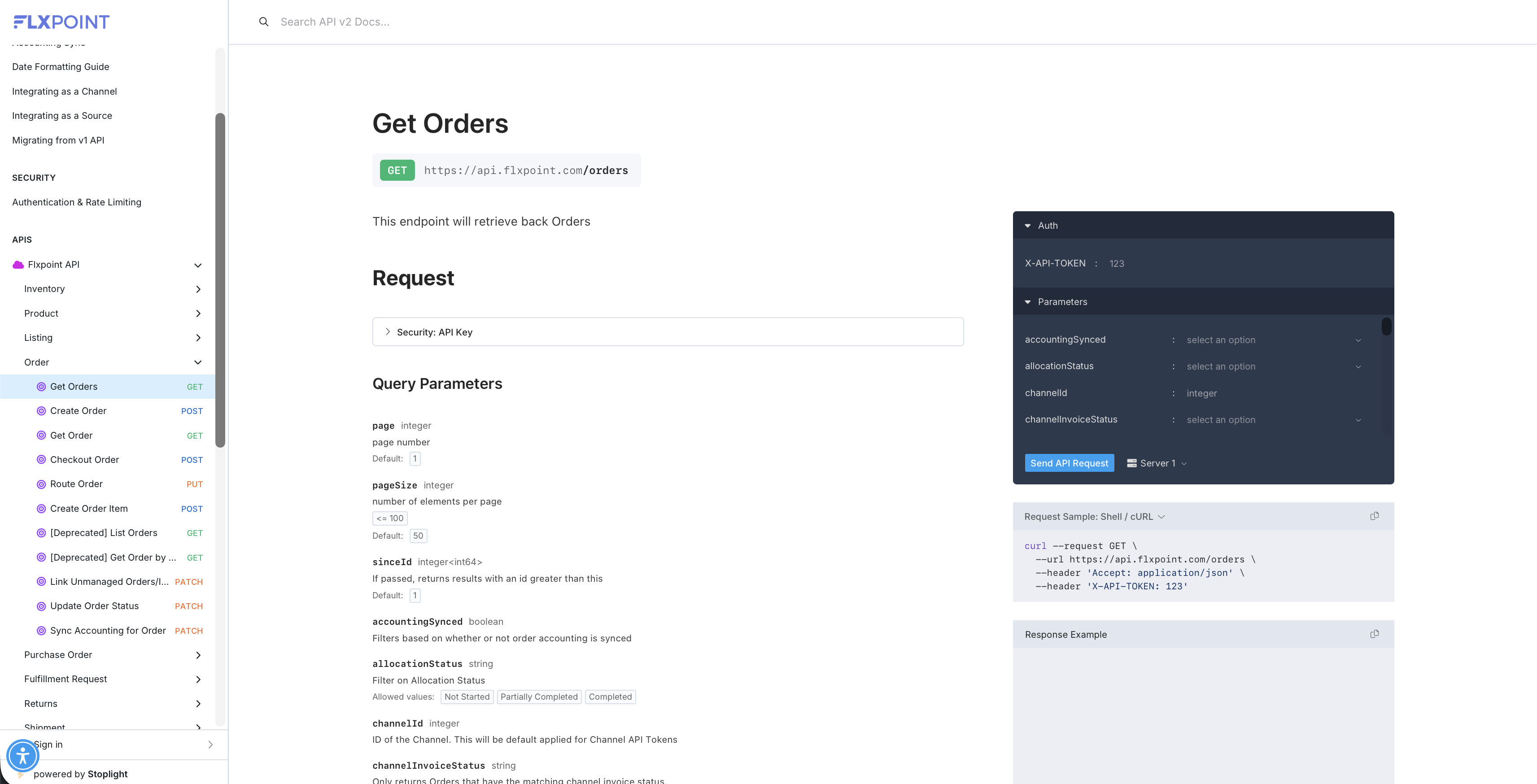
You can now query for orders from the API using your reference number instead of the Flxpoint order number.
If you save your sales channel order number as your reference number, this means you can look up orders using the number your team is familiar with.
Why Should I Care?
You can now find orders faster using the numbers your team already knows. No more jumping between systems or cross-referencing IDs just to locate an order.
Updated Help Center
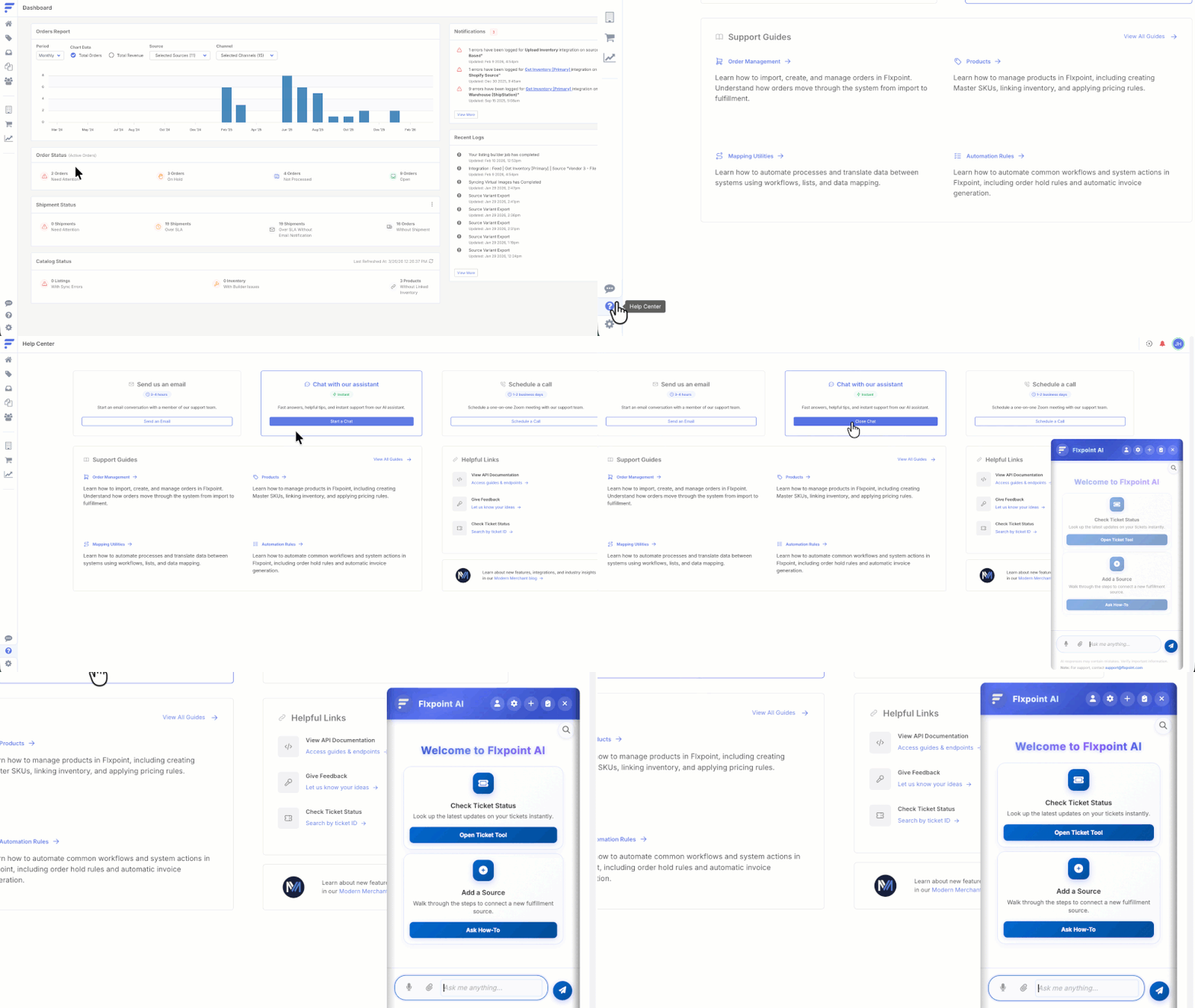
The Help Center just got a major refresh. Get instant answers from our AI support bot, now built into the Help Center, alongside quick links to the most commonly needed support docs so everything you need to get unstuck is in one convenient spot.
We've also added a link to our Modern Merchant blog, your go-to destination for the latest FLX feature releases, upcoming webinars, industry insights, and podcast episodes built for merchants like you.
Why Should I Care?
This means less time hunting for answers and more time running your business. Whether you need quick support or want to stay ahead of what's new, it's all right there when you need it.
New & Updated Integrations
eBay Listings Enhancement: Inventory API Upgrade
eBay sellers can now interact with the most modern version of eBay's Inventory API. Flxpoint can update your legacy eBay listings to the latest API version, regardless of if they were created manually or with a 3rd party system. This upgrade prioritizes data integrity, transparency, and continuous store updates for our eBay sellers.
Have questions on any of these? Contact us today!