.gif?width=1680&height=945&name=Copy%20of%20Updated%20Blog%20Image%20Template%20(5).gif)
Running a multi-supplier catalog means small gaps add up fast: a miscategorized listing, a lost discount, a supplier link nobody checked. This month's releases target exactly those friction points, from AI-powered category mapping for GunBroker to line item discount tracking and account-wide custom views. Here's what's new.
Here's what's new.
Set Your Own Default View Across the FLX Pro App
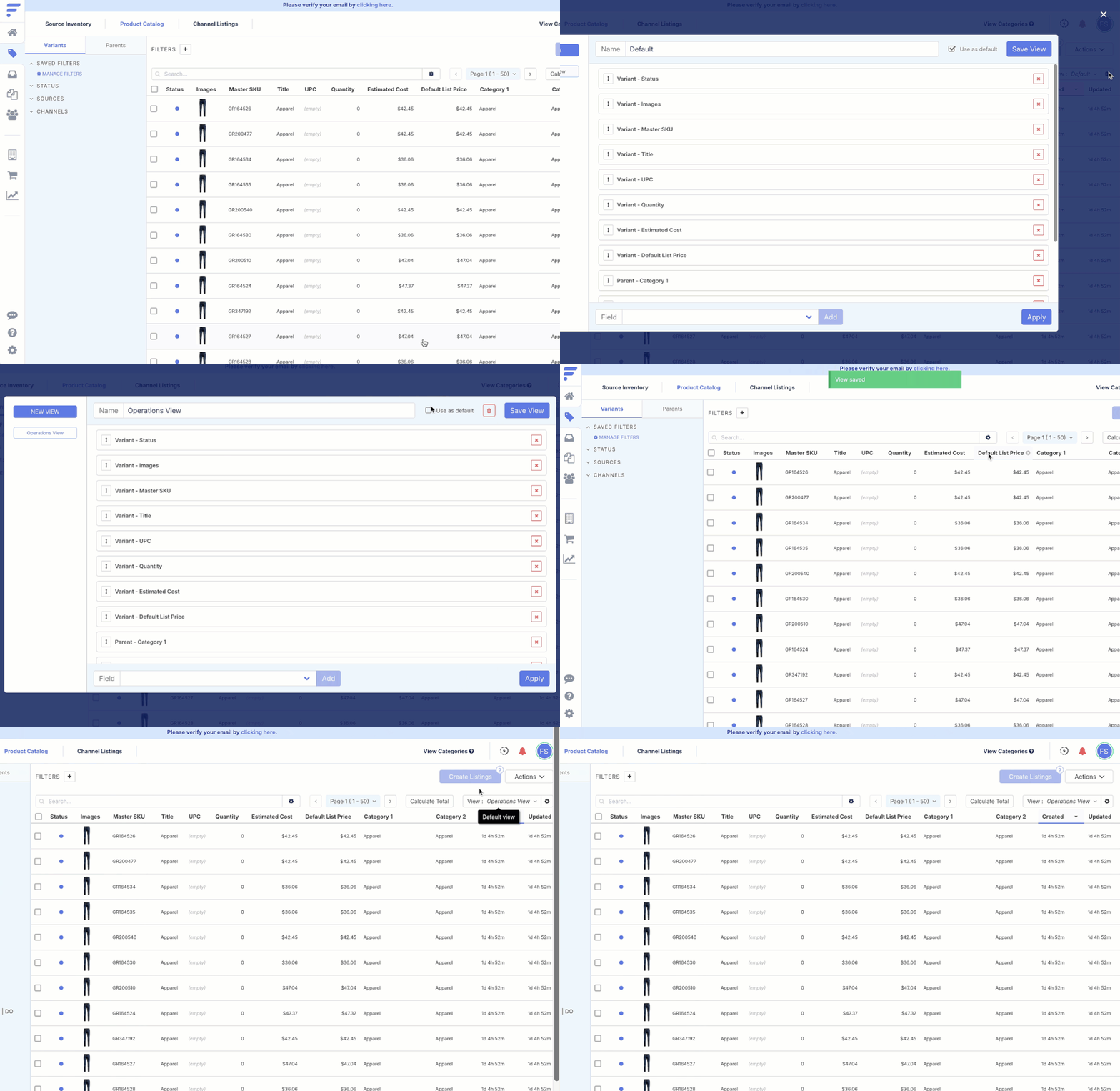
You can now set a custom view as your default on grids like Orders and Products. Previously, everyone landed on Flxpoint's built-in default view. Now, if you have built a view with extra columns for the details you rely on, you can make that your default instead. This applies account-wide, for all users.
Why Should I Care?
You stop re-applying the same filters and columns every time you open a grid. Worth flagging that this is account-wide, so setting your own default changes the landing view for everyone on the account, not just you.
Category AI Added for Gunbroker Channel
GunBroker categorization can be manual and error-prone, and getting it wrong can cause publishing failures. AI mapping handles categorization automatically as new listings are built, saving that setup time. High-confidence categories are applied automatically, while lower-confidence mappings can be reviewed and approved or adjusted by your team. If you already have listings built, you can run an analysis across your existing catalog to ensure accurate categorization.
To enable it in the Pro Platform, go to your GunBroker channel, then category mappings, then turn on AI Category Mapping.
Why Should I Care?
This takes a tedious, error-prone manual process off your plate and reduces publishing failures caused by miscategorized listings. Your team only needs to step in for the lower-confidence cases, and if you have an existing catalog, you can retroactively clean up categorization without reviewing every listing by hand.
.gif?width=734&height=413&name=ezgif-138fd0c9ba5f904c%20(1).gif)
New Timestamp and User Logging for Workflows
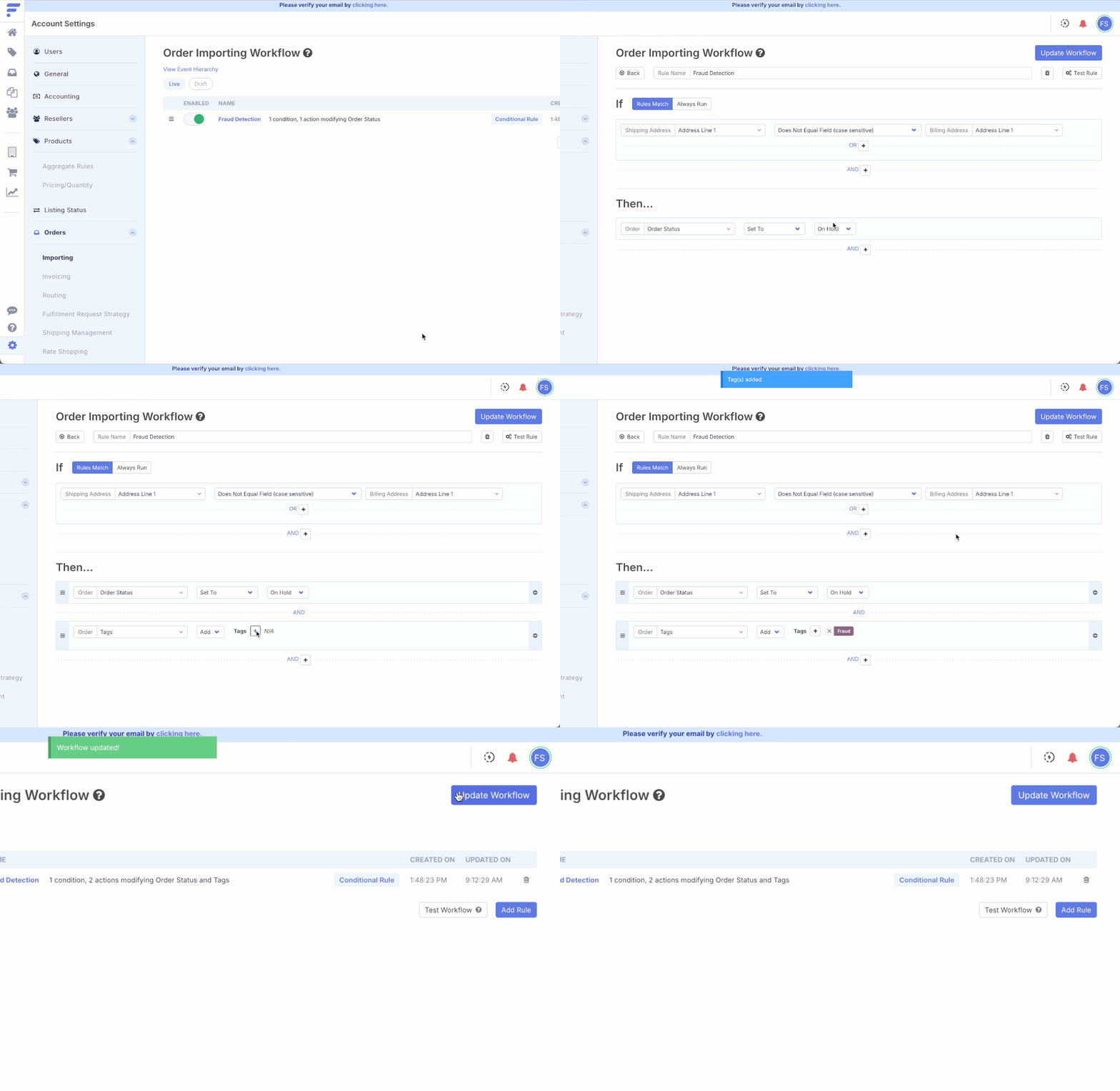
Workflow rules now display which user created them and who last made an update.
Why Should I Care?
When a workflow rule needs attention or isn't behaving as expected, you know exactly who to check in with instead of guessing or digging through team channels.
Line Item Discount Field on Orders
Flxpoint now supports a line item discount field on orders, mappable directly from Shopify orders. Previously, discounts applied at the line item level got lost or lumped into order totals, throwing off true item pricing and downstream reporting. Now you can map Shopify's per-item discounts directly, keeping order data accurate at the line item level.
Why Should I Care?
Your reporting and item-level pricing finally reflect reality instead of averaged-out totals. If you rely on accurate per-item costs or margins for reordering, reconciliation, or analytics, this closes a gap where discounted items were silently skewing the numbers.
.gif?width=734&height=413&name=ezgif-5a39cce631e232be%20(1).gif)
Source Name Filter on Listing Grid
You can now filter the listing grid by source name (supplier or warehouse). This lets you spot-check the links that determine each listing's pricing, quantity, and data before you sync.
Why Should I Care?
Supplier and warehouse links drive everything on a listing, so a gap in that link can quietly cause out-of-stocks or missing merchandising data on your sales channel. This filter lets you catch those gaps by source before they turn into a live problem, instead of finding out after a listing goes dark.
.gif?width=734&height=413&name=ezgif-5964a70e7ca1f878%20(1).gif)
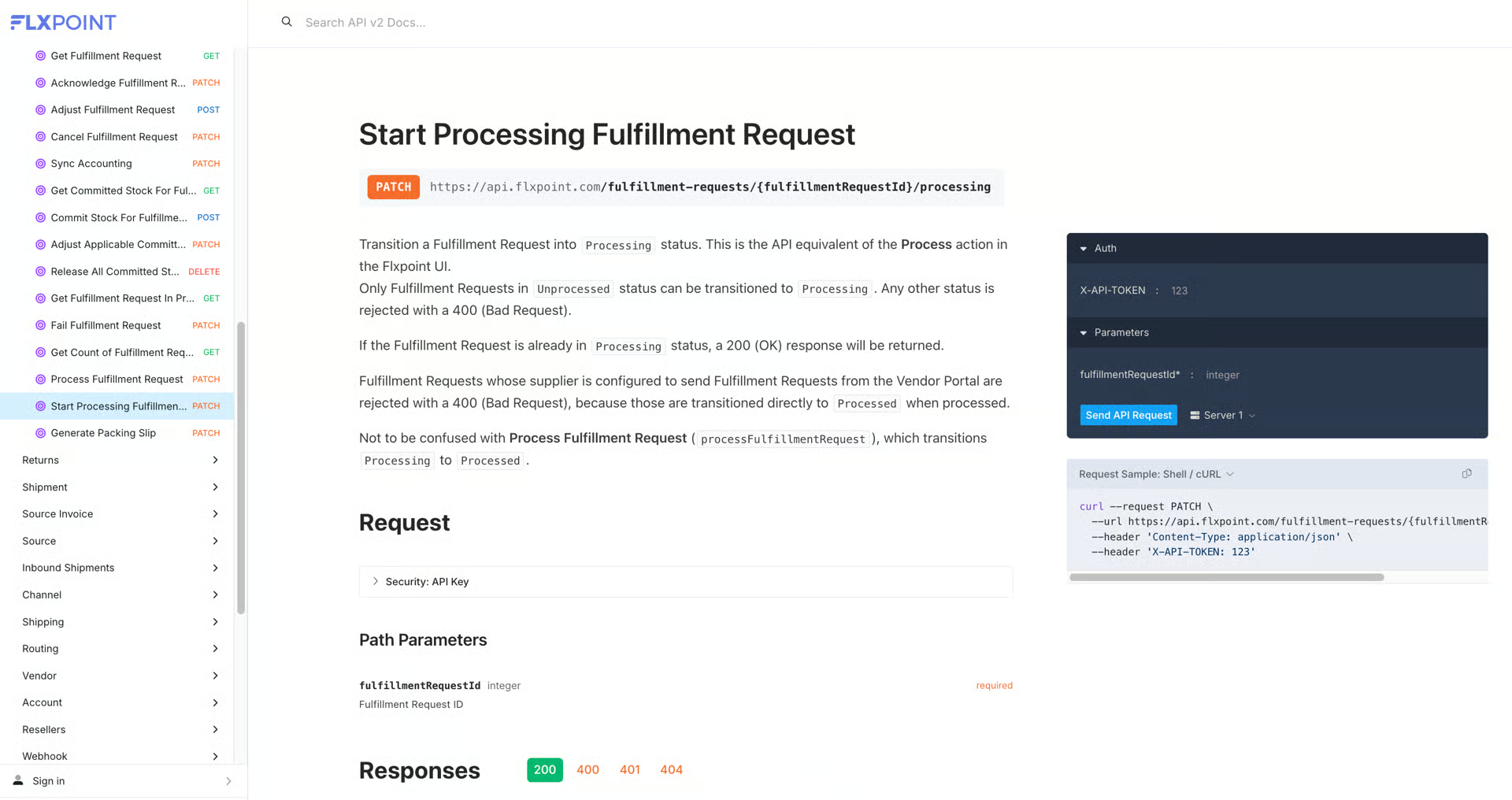
Automate Your Fulfillment Processing with the Flxpoint API
You can now transition Fulfillment Requests from Unprocessed to Processing directly via the Flxpoint API.
Why Should I Care?
If you are using the API to route and send orders to suppliers, this lets you fully automate that step instead of handling it manually, closing the last manual gap in an otherwise automated fulfillment flow.
New & Updated Integrations
Send Orders via PDF: Build supplier-ready documents, no code required
Setting up Flxpoint's supplier PDF or email documents used to mean writing HTML. Now, Basic mode lets you check off the fields you want (PO number, dates, ship-to/bill-to, line items, product images) and Flxpoint builds a clean, branded document automatically. Preview it, generate a test PDF, and go live. Need more control? Advanced mode still gives you the full HTML editor. Works for both PDF and HTML fulfillment-request connections.
.gif?width=900&height=506&name=ezgif-3fe4badf0f14c2ee%20(1).gif)
Have questions on any of these? Contact us today!