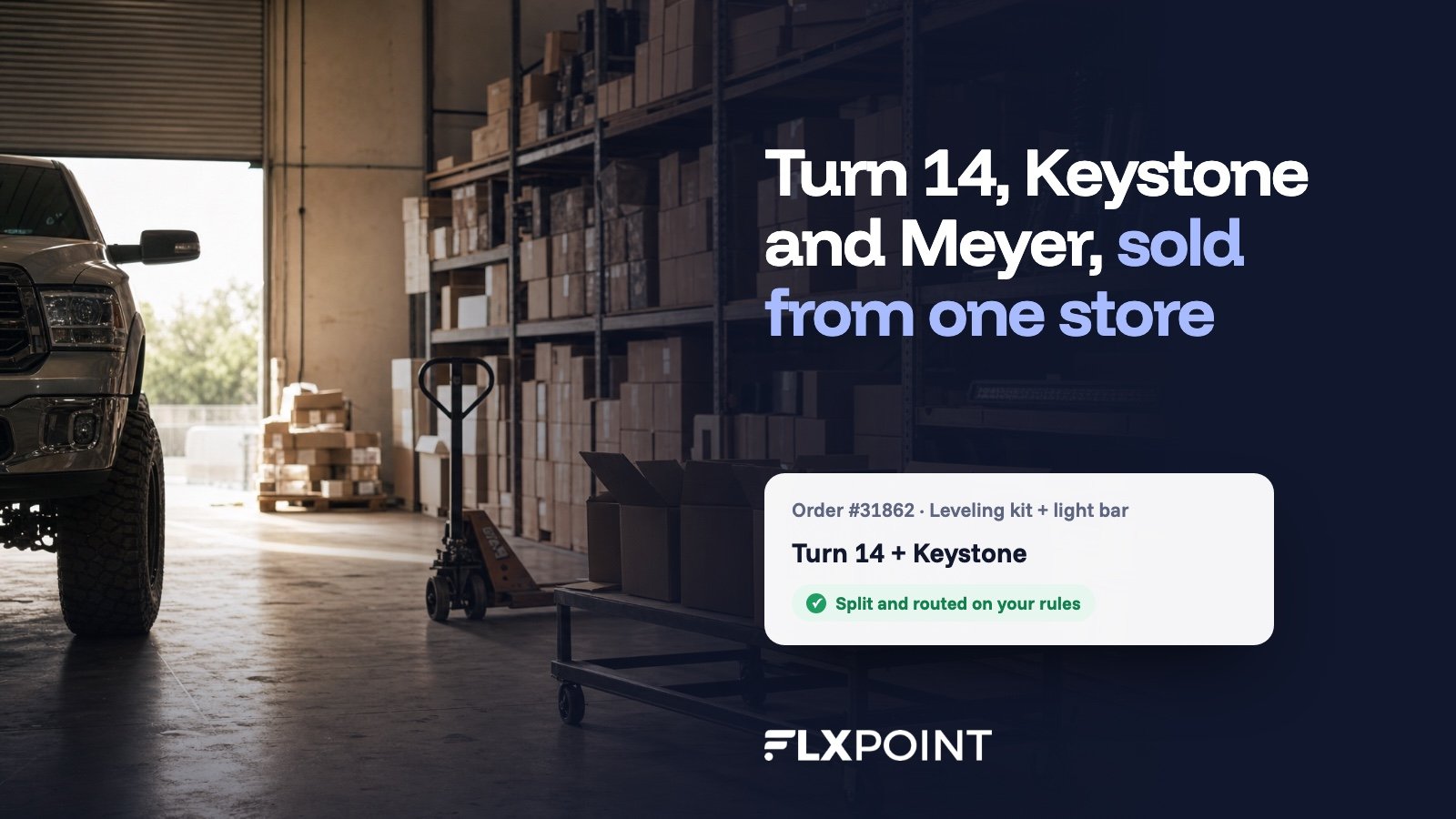
A customer orders a leveling kit and an LED light bar at 9:12 on a Saturday night. Turn 14 has the kit, Keystone has the light bar, and your site said both were in stock.
On Monday someone logs into two dealer portals, places two orders, copies two tracking numbers and hopes the counts were still right.
If your shop buys from more than one distributor, this guide shows how growing parts sellers run Turn 14, Keystone and Meyer through one store without that Monday.
|
Order #31862 · Leveling kit + LED light bar Kit to Turn 14 · Light bar to Keystone ✓ Split and routed on your rules |
| Who it’s for | Off-road, diesel, performance and powersports shops selling online from two or more distributors |
| What you’ll get | Why one listing per part matters, a five-step setup, and a checklist to run before you add your next distributor |
| ✕ Running three distributors by hand | ✓ Running them through one system |
| Three listings for the same lift kit, one per distributor | One product, with every distributor that carries it behind it |
| Stock counts from this morning’s file upload | Quantities that refresh on their own through the day |
| Someone decides which distributor ships each order | Orders route on your rules the moment they’re placed |
| Tracking copied from portals into your store | Tracking flows back to every channel automatically |
Why parts shops end up with three distributors
No single distributor covers everything an enthusiast shop sells, and each one brings something the others don’t.
| Distributor | What it brings to your catalog |
|---|---|
| Turn 14 Distribution | A performance warehouse distributor of automotive and powersports aftermarket parts, stocking its partner manufacturers’ full lines from Pennsylvania, Texas, Nevada and Indiana. Works with approved dealers. |
| Keystone Automotive Operations | Part of LKQ, with 185,000 unique stocking SKUs from more than 800 suppliers, shipped from 8 distribution centers across the continental U.S. |
| Meyer Distributing | More than 700 product lines, from Jeep and off-road to wheels and tires, RV and towing, and powersports. |
From each distributor’s profile on flxpoint.com.
Together they give you the coverage and backup stock to say yes to almost any order. The work lives in everything between their catalogs and your storefront.
Three problems that show up as you add distributors
The same part arrives in three formats
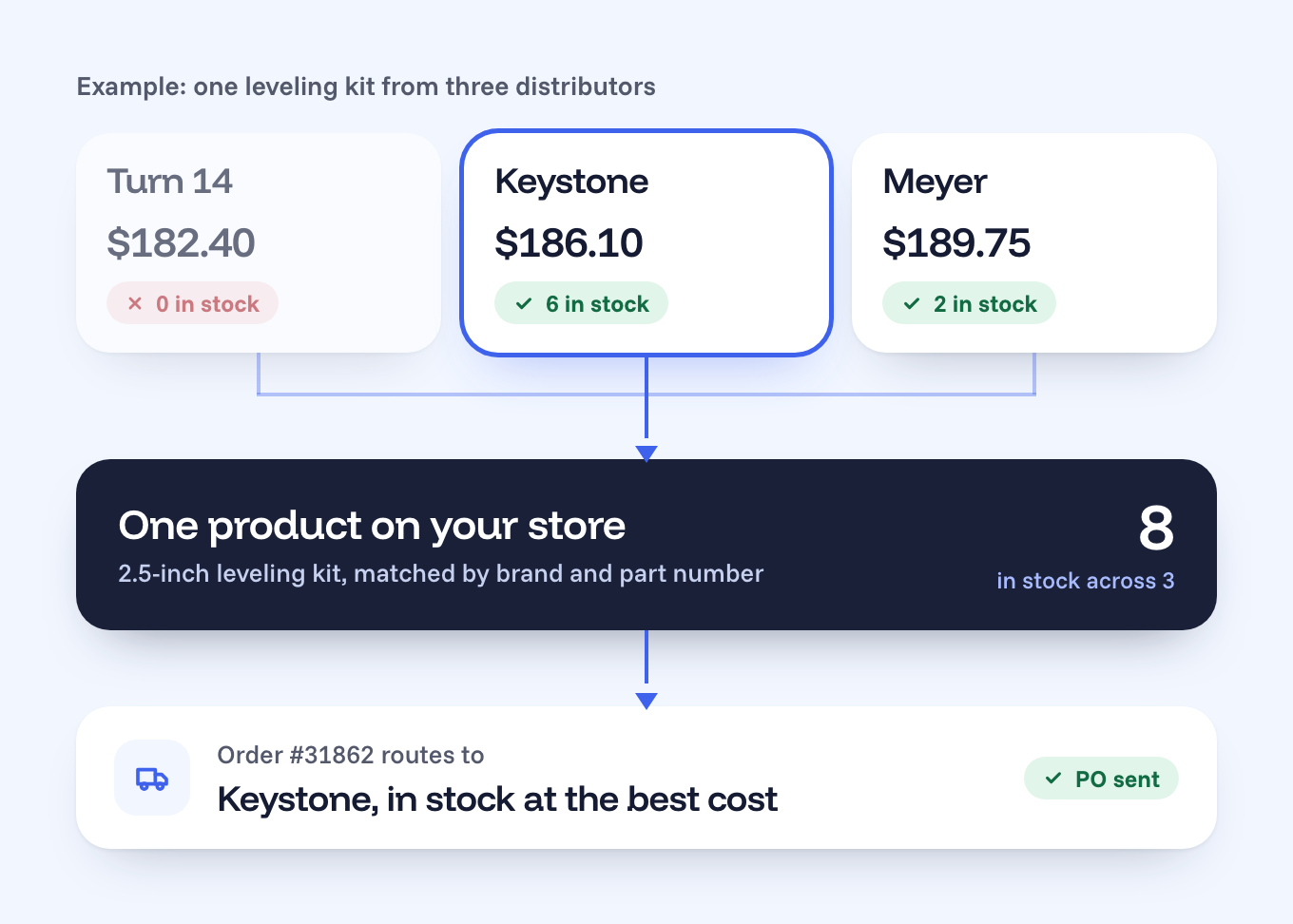
Each distributor sends its own part numbers, titles, images and price fields. When the same lift kit comes from two or three of them, you either list it more than once or someone merges records by hand, and neither holds up once the catalog passes a few thousand parts.
Stock moves all day
Distributor quantities change constantly on popular lines. A daily upload means your store sells yesterday’s stock, and every oversell becomes a cancellation, an apology email and a customer who shops somewhere else next time.
Every order raises the same question
When two distributors have the part, which one should ship it: the lowest cost, the warehouse closest to the customer or the distributor with the best terms? When that call happens in someone’s head, it happens slowly and differently every time.
How to run all three through one store
| 1 |
Connect each distributor once Who: You, with your Flxpoint specialist Replace files and portal logins with direct connections. A single Turn 14 API connection, for example, imports the catalog daily, updates quantities hourly, submits orders at the lowest-cost available shipping method and pulls back shipments and invoices (Turn 14 on Flxpoint). Ask for production API access early: Turn 14 has you test in its sandbox first, and Keystone may need to approve the IP addresses the connection comes from. |
| 2 |
Merge every distributor’s version into one product Who: Flxpoint Parts are matched across distributors by a reference ID built from the brand (or AAIA code) plus the manufacturer part number, so a kit carried by two distributors shows once on your store with two sources behind it. |
| 3 |
Set quantity rules before you publish Who: You Decide how much stock to show from each source. Many shops hold back a small buffer on fast movers so a last-minute sale at the distributor doesn’t turn into an oversell. When a part drops out of a distributor’s data, the listing pulls back instead of selling something nobody can ship. |
| 4 |
Write your routing rules, then let them run Who: You Ship from your own shelf first, then the distributor with the part in stock at the best cost, then the closest warehouse, or put a preferred distributor first. Every order follows the rules the moment it’s placed, including the ones that arrive on Saturday night. |
| 5 |
Send tracking back automatically Who: Flxpoint Tracking returns from each distributor to the channel the order came from, which closes the loop for customers and keeps marketplace seller metrics healthy. |
What this looks like at scale
Black Patch Performance started as a gearhead selling parts for lifted and diesel trucks and outgrew two buildings on the way. Today its online catalog runs past 500,000 parts. Running on Flxpoint, the team cut 90% of its manual work, and 70% of its sales now happen online (case study).
“
You can’t even come close to hiring someone to do what Flxpoint does for the price.
Jonathan Williams, Owner, Black Patch Performance · 500K+ parts online, 90% of manual work reduced
Before you add your next distributor
Five questions for your current setup
Tick each one off as you go.
If two or more of those got a no, you’re at the point where most parts shops change how they run. If you’re weighing a move from another dropship tool, our parts seller’s move plan walks through it step by step.
Get the free Outgrown Guide for parts sellers
Five chapters and a 12-point checklist on how growing parts shops connect distributors, keep stock accurate and route orders automatically.
Get the free guide