Automating dropship order routing pays for itself when the savings it creates are larger than what it costs to run. Those savings come from cheaper supplier selection, lower shipping, fewer cancellations, and less manual labor. Platforms built for multi-supplier routing, such as Flxpoint, make that choice by rule on every order, using each supplier's latest cost, stock, and location data.
Flxpoint customers have reported these results after moving their operations to Flxpoint:
This guide shows you how to measure each saving, turn them into a single ROI figure, and track the right numbers after you go live. By the end, you'll have a simple framework to decide whether routing automation is worth it for your operation.
What does dropship routing ROI actually measure?
Dropship routing ROI measures two things together: the money you save and the operations you improve, set against what the software costs. It isn't a single number you take on faith. It's the gap between how your operation runs today and how it runs once routing is automated.
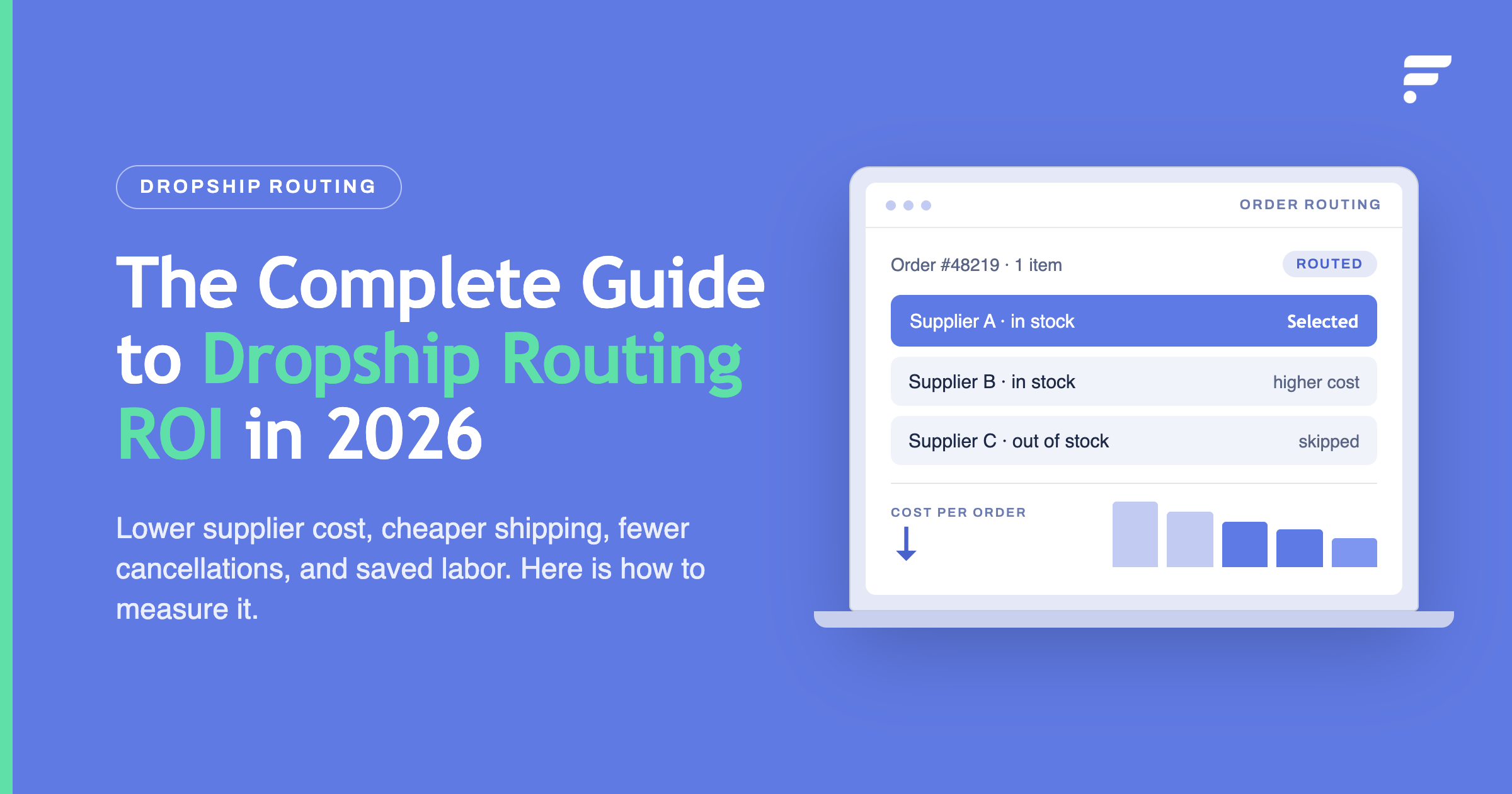
Routing is the step that decides which supplier fills each order. When more than one supplier carries an item, that choice affects your cost, your shipping bill, and your delivery time. Dropship order routing automation makes that choice by rule, on every order, so the savings repeat instead of depending on who's at the desk.
The return shows up in a few clear places
- Lower cost per order from smarter supplier selection.
- Lower shipping spend from shorter delivery distances.
- Fewer cancellations from stock-aware routing.
- Less labor spent on manual work.
- Better delivery times that support repeat sales.
The rest of this guide takes each of these, shows you how to measure it, and brings them into one ROI figure you can defend.
What does manual routing really cost you?
Manual routing looks free because no one sends you a bill for it.
The cost is hidden inside slow choices, wrong choices, and staff hours. For a mid-market operation, it can add up to real money every month.
Supplier selection costs
When a person routes by hand, they tend to pick a familiar supplier. That's fast, but it's often not the cheapest source with stock. Each time an order goes to a costlier supplier than needed, you give up margin. On a single order it's small. Across thousands of orders a month, it becomes a steady leak.
Labor and manual intervention
Every order routed by hand takes time. Someone checks stock, compares suppliers, and creates the purchase order. As order volume grows, this work grows with it, so you either add people or fall behind.
The hidden costs of manual routing usually include
- ✓Staff hours spent checking stock and cost per order.
- ✓Time lost creating and sending purchase orders by hand.
- ✓Rework when an order goes to a supplier who's out of stock.
- ✓Delays that push orders past their ship deadline.
- ✓Errors from rushing at busy times.
Order errors and cancellations
Manual checks miss things. An order goes to a supplier who has already sold out, and now you cancel it or scramble to reroute. Each cancellation costs you the refund handling, a support contact, and the lost sale. On marketplaces, seller-cancelled orders also count against performance metrics such as Amazon's and Walmart's cancellation rates and eBay's transaction defect rate, and poor results can limit your visibility or selling privileges.
Add these three together (weak supplier choices, lost labor hours, and cancellations) and you have your baseline. That baseline is what automation is measured against.
How does automation lower your supplier and shipping costs?
Automation lowers cost by comparing every option on every order, something a person can't do at speed. The biggest savings come from choosing the cheapest source, shipping from closer to the customer, and selling stock you already own first.
Cost-based routing
Cost-based routing compares the total cost of filling an order at each source that has the item in stock, then sends it to the cheapest one. It doesn't default to a habit. It checks the numbers every time. In Flxpoint, this is the Lowest Cost routing priority.
Total cost means more than the item price. A supplier with a lower item cost can still be the pricier choice once shipping and fees are added, so Lowest Cost adds each source's estimated dropship fee and estimated shipping cost to the item cost before it compares.
You set those estimates per source with rules, such as a flat rate, a weight tier, or a rule by product category. For live numbers, real-time rate shopping pulls carrier rates through ShipEngine at routing time and falls back to your estimate when no rate comes back.
The savings are small per order and large over time. Suppose you save two dollars per order on supplier cost, and you process 5,000 orders a month. Your real figure depends on how often two suppliers carry the same item and how far apart their prices sit.
Location-based fulfillment
Distance drives both shipping cost and delivery time. An order shipped from a supplier near the customer costs less and arrives sooner than the same order shipped across the country. Location-based fulfillment picks the closest qualifying source on every order. In Flxpoint, this is the Closest routing priority. It measures ZIP-based distance from each source's address to the customer, works for US addresses only, and skips any source without an address set.
This helps two ways at once: a shorter distance usually means a lower shipping rate and a faster delivery. When cost and distance point to different suppliers, the order of your routing priorities decides which one wins. One way to balance them is to set a margin on Lowest Cost, so every source within a few dollars or percent of the cheapest stays in play, then let Closest pick the nearest of them.
Owned inventory first
If you hold stock in your own warehouse, the Preferred Warehouse priority routes orders there first. When that warehouse can't fill the order, routing continues with your other priorities and moves on to dropship suppliers. Stock you've already paid for sells before you pay a supplier to ship.
How does automation improve order accuracy and inventory availability?
Automated order routing improves accuracy by checking each source's latest stock data before it assigns an order, so fewer orders go to a source that can't fill them. This protects inventory availability, cuts oversells, and reduces the split shipments that quietly raise your costs.
Inventory availability and stock optimization
Routing is only as good as the stock data behind it. If a feed is stale, the system may send an order to a supplier who's already out. Good routing rests on frequent inventory updates and buffers, so your published stock stays close to what suppliers actually hold.
This is where inventory and stock optimization meets routing. Accurate stock across every channel means each routing choice is based on real availability, not a number that's hours out of date. See how this connects on the inventory management overview.
Order accuracy and fewer oversells
An automated system checks stock data at the moment of routing, so the order goes to a source that shows the item in stock. That check is only as current as the latest supplier feed, so frequent updates and buffers still matter. In Flxpoint, sources with committed stock turned on reserve units when a fulfillment request is generated, so the quantity your channels see already accounts for orders in progress. Fewer oversells mean fewer cancellations, fewer refunds, and less support work.
Avoidable split shipments
Some split shipments are needed, such as when no single supplier carries every item in the order. Many aren't. A split that happens because routing didn't check whether one supplier could cover the whole order costs you an extra shipping charge and a slower, messier delivery.
Smart routing checks whether one source can fill the whole order before it splits. In Flxpoint, the Single Fulfillment Request priority fills the entire order from one source when possible. Set to Preferred, routing moves on if no single source can. Set to Required, the order is held for manual review instead. When a split can't be avoided, Fewest Number of Fulfillment Requests keeps the number of sources as low as possible.
For extra control, the Routing Completed Workflow can hold split orders as Unprocessed, so your team checks the cost before anything goes to suppliers. Each avoided split saves a shipping charge and gives the customer one clean delivery.
How does routing affect delivery experience and supplier performance?
Routing shapes the customer's delivery experience and lets you steer orders toward suppliers who perform. Both feed your ROI, one through repeat sales and one through fewer costly mistakes.
Customer delivery experience
Customers judge you on speed and reliability. Routing to the closest supplier with stock gives faster delivery, and routing away from out-of-stock sources means fewer cancelled orders. Both build trust, and trust drives repeat purchases, which is the hardest saving to put on a spreadsheet and can be significant over time.
Supplier performance
Not all suppliers are equal. Some ship late, some ship short, and some make more mistakes than others. Routing on price alone is a trap if the cheapest supplier is also the least reliable.
| Metric | What it tracks |
|---|---|
| Fill rate | How often the supplier has the item |
| Ship time | How fast they send it |
| Accuracy | How often the order is correct |
Once you track these numbers, you can route away from weak suppliers, even when they're a few cents cheaper. In Flxpoint, move them down your Preferred Source(s) list or turn them off in a routing group. The saving here is fewer failed orders, which cost far more than a small price difference.
How do you calculate dropship order routing automation ROI?
You calculate ROI by adding up your annual savings, subtracting the annual cost of the software, and comparing the result to that cost. The formula is simple. The work is in measuring each saving honestly.
Start by measuring your baseline for a full month before you change anything
- Average extra cost per order from supplier selection.
- Average shipping cost per order.
- Cancellation rate and the cost per cancellation.
- Hours per week spent on manual routing and purchase orders.
- Number of avoidable split shipments per month.
Then estimate each saving after automation
- Supplier cost saving: orders per month, times the average saving per order.
- Shipping saving: orders per month, times the average shipping cost drop per order.
- Cancellation saving: fewer cancellations, times the cost of each one.
- Labor saving: hours saved per month, times your loaded hourly cost.
- Split-shipment saving: avoided splits per month, times the extra cost of a split.
Add those into a monthly saving, then multiply by twelve for the year. Here's an illustrative worked example for a hypothetical retailer running the Lowest Cost and Closest routing priorities in Flxpoint across several suppliers. The numbers are round illustrations, not customer results, and you'd replace them with your own baseline:
| Saving (example) | Basis | Monthly |
|---|---|---|
| Supplier cost | 5,000 orders × $2 each | $10,000 |
| Shipping | 5,000 orders × $1 each | $5,000 |
| Cancellations | 200 fewer × $15 each | $3,000 |
| Labor | 80 hours × $25 each | $2,000 |
| Split shipments | 300 avoided × $6 each | $1,800 |
Two ways to express the result
Payback period
Annual software cost divided by monthly saving, which tells you how many months until it pays for itself.
ROI percentage
Net annual gain divided by annual software cost, times 100, which shows retail operations ROI in one figure.
Check your estimates against real orders
You don't have to guess at per-order savings. Before an order routes, Flxpoint's routing preview shows which source it will pick and an estimated profit or loss: order revenue minus fulfillment cost, including item cost, estimated shipping, and dropship fee. Run it on a sample of real orders to test the inputs in your ROI model. The estimate is only as accurate as the cost data on your sources, so set shipping and fee estimates first.
Which metrics should you track after you go live?
Track the same numbers you used in your baseline, so you can prove the savings are real. The point is to move from a projection to a measured result you can review each month.
Watch these after launch
- ✓Average supplier cost per order, compared to your baseline.
- ✓Average shipping cost per order.
- ✓Cancellation and refund rate.
- ✓Percentage of orders routed with no manual step.
- ✓Number of avoidable split shipments.
- ✓Average delivery time.
- ✓Fill rate, ship time, and accuracy by supplier over time.
- ✓Staff hours spent on routing and purchase orders.
Review these monthly for the first few months, then quarterly. A rising cancellation rate or a drop in auto-routed orders is a signal to check your rules or your supplier feeds. When a number moves the wrong way, Flxpoint's routing logs show which sources were eligible at each priority step and why one was picked, so you can fix the rule instead of guessing. Measured this way, ROI stops being a promise and becomes a number you can show your leadership.
How do you know if routing automation is worth it?
Dropship order routing automation is worth it when the measured savings clear the software cost with margin to spare, and when it removes work your team shouldn't be doing by hand. Use a short checklist to decide.
Ask yourself
- ✓Do two or more suppliers often carry the same item? If yes, cost-based routing has room to save.
- ✓Are your suppliers spread across regions? If yes, location-based fulfillment can cut shipping.
- ✓Do cancellations from stockouts happen often? If yes, stock-aware routing will help.
- ✓Is your team spending real hours routing by hand? If yes, the labor saving is direct.
- ✓Is order volume rising? If yes, manual routing will only get more expensive.
If you answered yes to most of these, the savings may be there, and the calculation above will show their size. If you answered no to most, a lighter setup may serve for now.
The safest path is to measure your baseline, run the numbers with conservative inputs, and test the routing on a real order before you commit.
If your operation fits the multi-supplier case, Flxpoint can show you how routing rules run against your own suppliers. Start with the order management overview.
Explore order managementFrequently asked questions
What is the ROI of automating dropship order routing for a mid-market retailer?
The return comes from measurable savings that add together: lower supplier cost from cost-based routing, lower shipping from shorter distances, fewer cancellations from stock-aware routing, and labor that grows more slowly than order volume. Measure your baseline first, then compare after launch. How fast the software pays back depends on your order volume and per-order savings, so calculate it from your own numbers rather than a typical figure.
What are the best tools for automating dropship order routing based on cost, stock, and location?
Look for dropshipping software built for multi-supplier routing, not an inventory system that adds routing on the side. It should compare each supplier's total cost (item, shipping, and fees), latest stock, and location on every order, let you set the rule order yourself, split orders only when needed, and show you where an order will go before it's sent. Flxpoint does this with routing priorities such as Lowest Cost, Closest, Single Fulfillment Request, and Preferred Warehouse, plus a routing preview. Test any tool against your own supplier feeds first.
How long does it take for routing automation to pay back?
Payback depends on your order volume and how much you save per order, so there's no reliable typical figure. Divide the annual software cost by your measured monthly savings to get the payback period. Conservative inputs give you a safe estimate.
What is cost-based routing?
Cost-based routing compares each qualifying supplier's total cost, including item cost, shipping, and dropship fees, and sends the order to the cheapest source that has the item in stock. It runs on every order, so the margin saving repeats instead of depending on a manual choice. When several suppliers carry the same items, it's often a major source of routing ROI.
What is location-based fulfillment?
Location-based fulfillment routes each order to the in-stock supplier closest to the customer. A shorter distance usually means a lower shipping rate and a faster delivery, so it improves cost and speed at once. In Flxpoint, the Closest priority measures the distance from each source's configured address to the customer's ZIP code, and it applies to US addresses only.
Which metrics show routing automation is working?
Track supplier cost per order, shipping cost per order, cancellation rate, the share of orders routed with no manual step, avoidable split shipments, average delivery time, and staff hours spent routing. Compare each to your baseline. Steady improvement across these numbers is evidence the automation is paying back.